Many organizations have started bringing AI into work by letting employees use chatbots to summarize, ideate, write, or search for information. But using AI only at the conversation level may be just the beginning. The bigger opportunity is turning employees’ frontline knowledge into AI-powered tools, workflow automation, and custom software embedded in how the organization actually works.
AI Chat May Be Only the First Stage of AI Transformation
In recent times, many organizations have expanded employee access to AI tools — whether ChatGPT, Microsoft Copilot, Gemini, or various AI assistants. Employees have started using AI to summarize documents, write emails, brainstorm ideas, build presentations, translate content, do preliminary data analysis, or answer questions that come up in daily work.
This is a good starting point. AI has visibly improved the productivity of many employees. Tasks that used to take a long time can be done faster. Tasks that were hard to start can now be started sooner. Employees who know how to use AI well can handle certain things more efficiently than before.
But the key question is: if an organization stops at letting employees “chat with AI,” might it be capturing only the smallest fraction of AI’s total potential?
Chatting with AI is still primarily individual-level AI use. Each employee gets answers, gets drafts, gets ideas, or gets recommendations from AI — and then continues the work themselves. The outcome may be improved individual productivity, but it doesn’t change how the organization works at a systems level.
The bigger opportunity is transforming AI from “question answerer” into “working tool” embedded in the organization’s real workflows — internal tools that help sales teams manage leads, automation that helps finance detect anomalies, dashboards that help operations make faster decisions, or custom software that automates repetitive work for business teams.
Simply put: real AI Transformation may not be about “how good are employees at AI chat” but about “how well can the organization turn employee knowledge and pain points into systems that actually work.”
From AI as Assistant to AI as Tool Builder
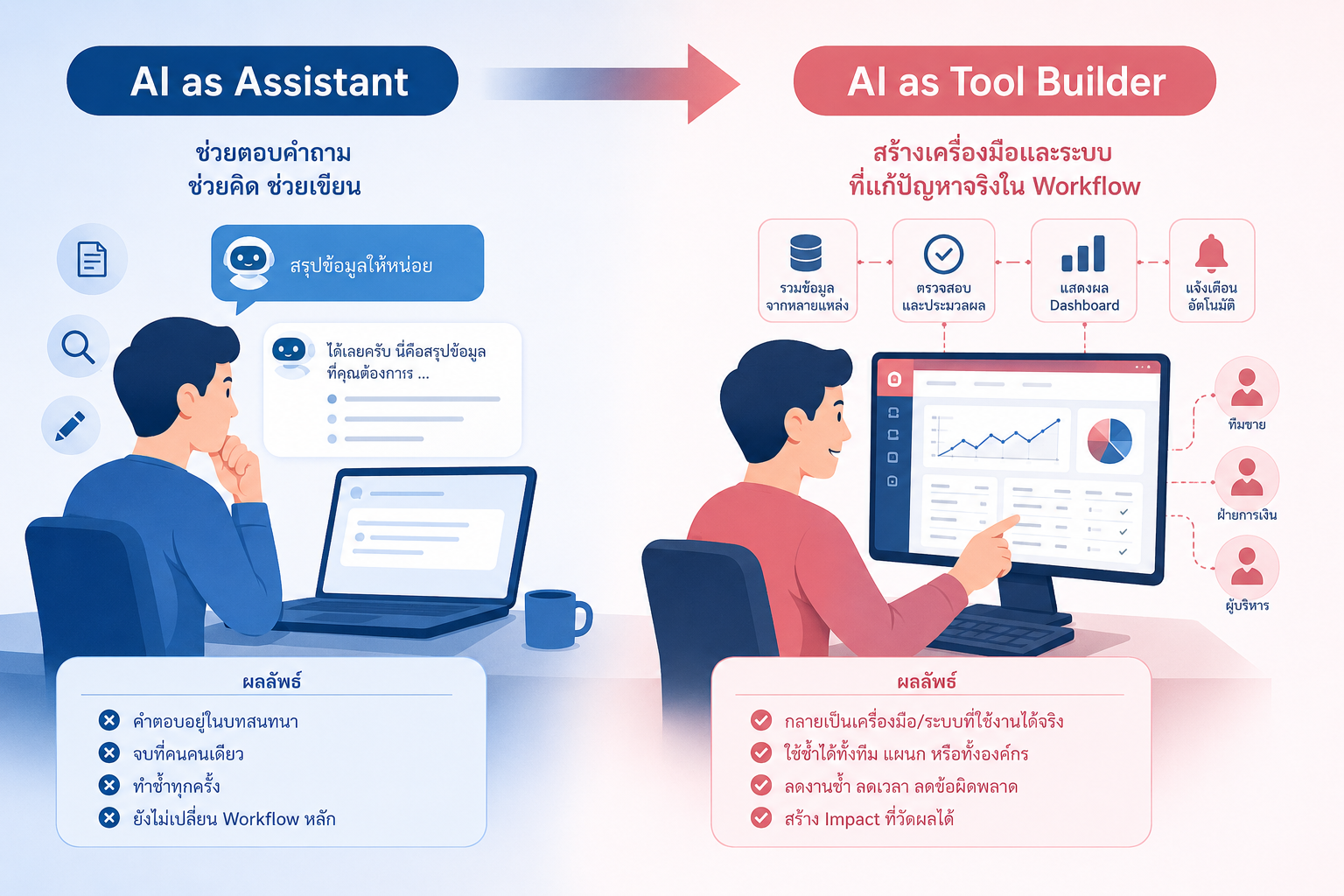
Using AI as an assistant is highly valuable, but there are some limitations organizations should understand.
When employees use AI to help think or write, the output usually stays with that individual — a faster meeting summary, a quicker proposal draft, a faster answer to inform a decision. These things reduce working time, but they don’t always change the team’s core workflow.
But when AI is used as a tool builder, the picture changes.
Employees who understand the problems in their work can use AI to build small tools to solve recurring issues — systems that consolidate data from multiple files, forms and dashboards for tracking tasks, scripts that check for data anomalies, or workflows that reduce manual handoffs between teams.
The key difference is that the output doesn’t just live in a conversation between a person and AI — it becomes an asset other team members can reuse, a system that replaces certain manual steps, and something that can be developed further into custom software that creates real organizational impact.
This is the upgrade from AI as Assistant to AI as Tool Builder.
In the early stages, employees might use AI to build simple prototypes. But when the organization has the right framework in place, those prototypes can be assessed, improved, and moved into production in a structured way.
This is the point at which AI stops being merely a personal productivity tool and becomes a new mechanism for building software and driving process improvement from within the organization.
Why Letting Employees “Only Use AI Chat” May Not Be Enough
AI chatbots are easy to start with, applicable to many tasks, and don’t require major changes to existing systems. But if an organization wants AI to produce organization-level results, relying solely on AI chat has several key limitations.
1. Output doesn’t get embedded in workflow
An employee might ask AI to help analyze data, but still has to manually copy the data into a spreadsheet, format it themselves, pass it on themselves, and repeat the whole process every time new data arrives. AI helps them think faster, but the overall workflow remains the same.
2. Knowledge doesn’t get systematized
Individual employees may develop great prompts, effective AI techniques, or personal know-how. But if that knowledge isn’t converted into tools, templates, automations, or workflows the whole team can use, the organization remains dependent on individual capabilities rather than systemic capability.
3. Impact is hard to measure
Using AI to help write or summarize may feel like working faster, but at the organizational level it’s hard to quantify how much time was saved, how many errors were reduced, or how much the process improved. By contrast, when AI is used to build automation or internal tools, impact becomes measurable — reducing a report from 3 hours to 15 minutes, cutting manual checking by 70%, or shortening the approval cycle.
4. Low scalability
If everyone uses AI individually in isolation, the organization may get scattered productivity gains without any shared standard. By contrast, a well-designed tool or custom software can scale from one person to a whole team, department, or organization.
So while encouraging employees to use AI chat is a good start, it shouldn’t be treated as the endpoint of AI adoption.
Business Teams Are a Source of Software Ideas Organizations May Be Overlooking
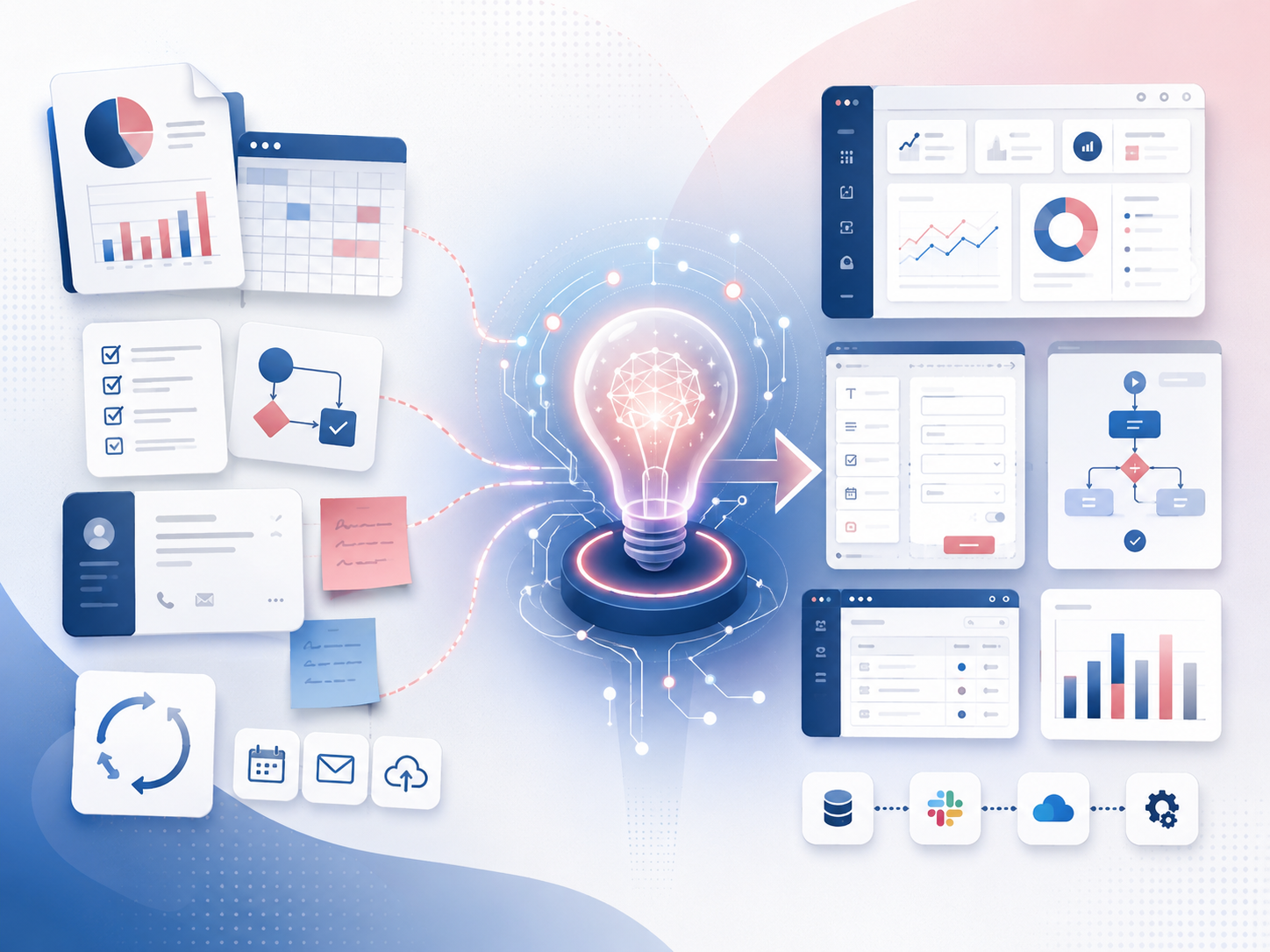
One reason AI is so powerful within organizations is that it lets people who understand frontline problems participate more meaningfully in building solutions.
In many organizations, business teams are the ones who see pain points most clearly. They know which steps waste time, which tasks are redundant, which data needs checking every day, which approvals slow down a process, and which reports require hours of gathering from multiple sources. But in the past, these people couldn’t build software on their own — they had to explain the problem to IT or a vendor, which sometimes meant small ideas never got developed.
“AI narrows this gap.”
Business-side employees don’t need to become full developers. But they can use AI to translate their understanding of their own work into prototypes faster — describing workflows for AI to help design data structures, building initial logic, or creating rough interface flows.
This matters a great deal, because good custom software usually starts from a precise understanding of the problem — not from technology alone. If organizations can create space for frontline workers to build more prototypes, they’ll discover many process improvement opportunities that have been hiding in plain sight in daily work.
That said, letting business teams build their own tools doesn’t mean the organization should let everything go into production unreviewed. The important thing is creating a pathway that lets ideas from the business be tested quickly — and when they prove genuinely valuable, be elevated to the appropriate technology, security, and operational standards.
AI-powered Tools Organizations Could Build From Real Pain Points
To make this concrete, here are examples of AI-powered tools or custom software that could arise from pain points in each functional area.
Sales teams might build tools that consolidate customer information from multiple sources, analyze lead status, and recommend next actions based on CRM data and contact history.
Finance teams might build automation that detects anomalous line items, compares data across multiple files, or prepares data for monthly closing faster.
HR teams might build tools that pre-screen applications, summarize interview feedback, or manage onboarding checklists for new employees.
Operations teams might build dashboards that pull data from multiple systems and display task status in real time, with alerts when anomalies appear or processes start falling behind.
Customer service teams might build internal assistants that search the company’s knowledge base and suggest responses aligned with organizational policy.
None of these have to start as big projects. Many can begin as small prototypes that solve recurring work for a single team — and from there, the organization can evaluate whether the tool has enough value to expand.
The key insight is that AI makes it easier for organizations to turn many small pain points into software opportunities. But for those opportunities to create real value, the organization needs a support structure — not a free-for-all where every prototype floats around with no path forward.
The Gap Between Prototype and Production Is Still a Critical Challenge
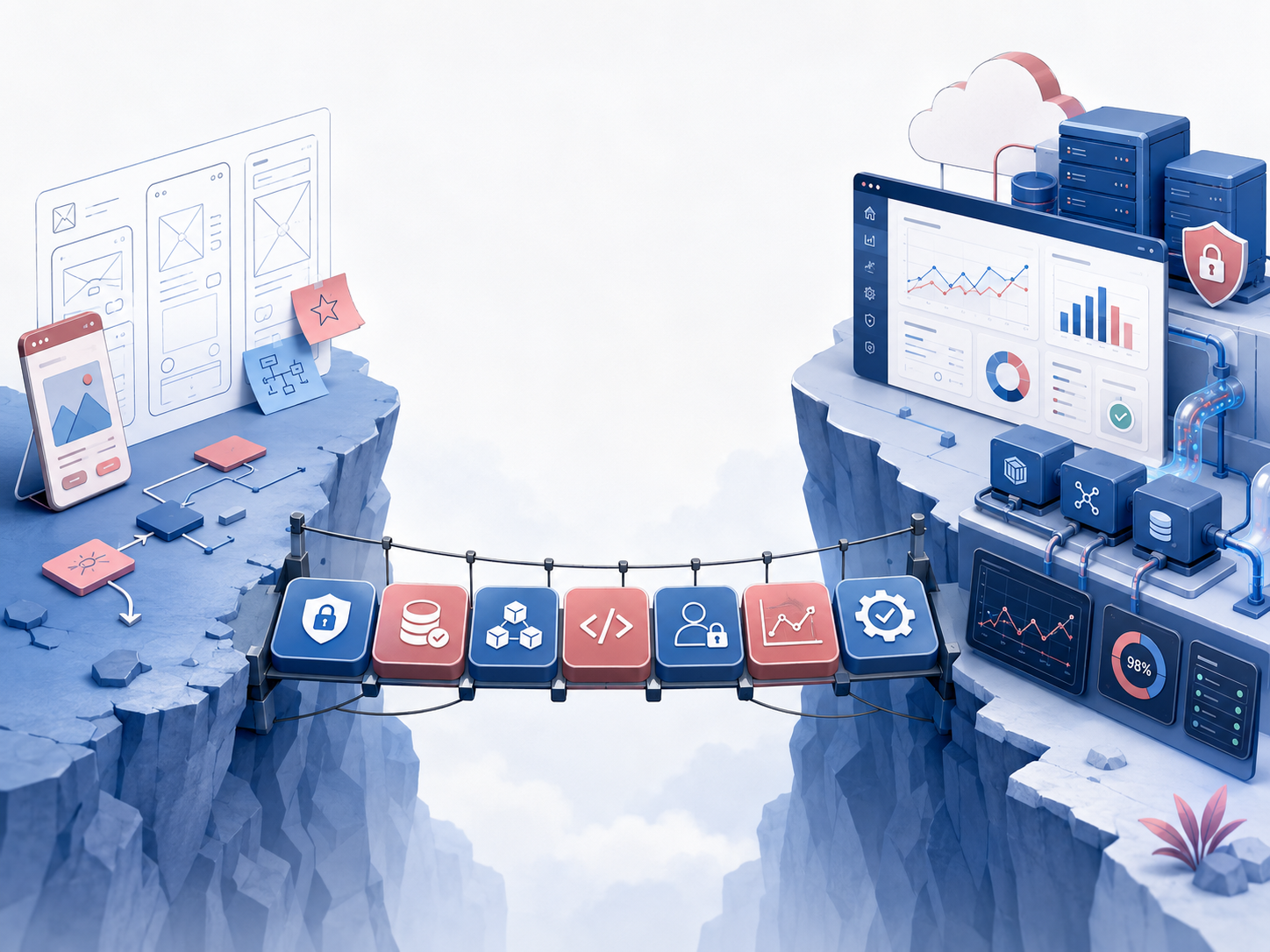
Even though AI makes prototyping easier, taking a prototype into real organizational use still presents significant challenges.
A prototype may look good in a demo but not be ready for real data. It may lack proper access controls, may not have been designed with data privacy in mind, may use technology the IT team can’t maintain, or may have no logging, monitoring, or support process for when something goes wrong.
This is why organizations shouldn’t assume that AI will let everyone build software and immediately deploy it in production without any standards.
In the organizational world, building fast is only the first half of the challenge. The other half is making the system secure, genuinely usable, and maintainable over the long term.
Without a process bridging prototype and production, organizations can end up with many tools that were built but where nobody knows what data each system uses, who owns the code, where it lives, how it’s deployed, or who to call when something breaks.
On the other hand, if an organization has a clear production readiness framework, AI-generated prototypes that have real value can be assessed and elevated — reviewed for security, data governance, architecture, code quality, and operational readiness before going live.
This is where organizations need to design a new operating model — not to stop employees from building tools with AI, but to ensure what they build can enter a pathway that’s safe and has the right standards.
How Organizations Should Arm Employees to Go Beyond Prompt Training
Many organizations begin AI adoption with prompt engineering training, which has real value. But if the goal is for employees to build tools or workflows that can be used in production, teaching people only “how to ask AI good questions” may not be enough.
What employees really need is broader understanding of how to build solutions with AI.
Employees should understand how to describe a problem clearly, how to translate a workflow into requirements, how to think about the data involved, how to distinguish between things that can be safely tested with mock data versus things that need care with real data, and how to assess whether a prototype they’ve built should stay personal, be used within the team, or be escalated for production review.
Employees should also understand the limitations of AI-generated output. AI might build code that runs but isn’t secure. It might choose libraries that don’t fit the organization’s standards. It might produce logic that looks correct but doesn’t cover the edge cases in real work.
Arming employees isn’t just teaching them to use AI — it’s building an AI development mindset throughout the organization, so people understand that once an idea becomes software, responsibility for quality, security, and ongoing maintenance needs to be considered from the start.
This is the difference between an organization that uses AI as an individual tool, and one that uses AI as a new capability for building operational systems.
Good Governance Makes People Build More With AI, Not Less
When governance comes up, many people fear it will slow down AI use. But in this context, good governance should be designed to make people more willing to experiment — because everyone knows where the boundaries are and what the path forward looks like.
Organizations should establish guidelines that answer key questions:
- What types of data can and can’t be used with AI tools
- What kinds of prototypes can be tested privately
- What kinds of tools need to be reported to IT or the governance team
- What kinds of systems need to go through a production readiness review
- If a prototype proves valuable, who should it be handed off to for elevation
- After going live, who owns it and who maintains it
When these questions have clear answers, employees don’t have to guess — and IT teams don’t have to deal with systems that appear from nowhere with no traceable origin.
Good governance isn’t about blocking AI. It’s about laying guardrails that help AI-driven innovation move forward faster in a safer framework.
From Individual Productivity to Organizational Capability
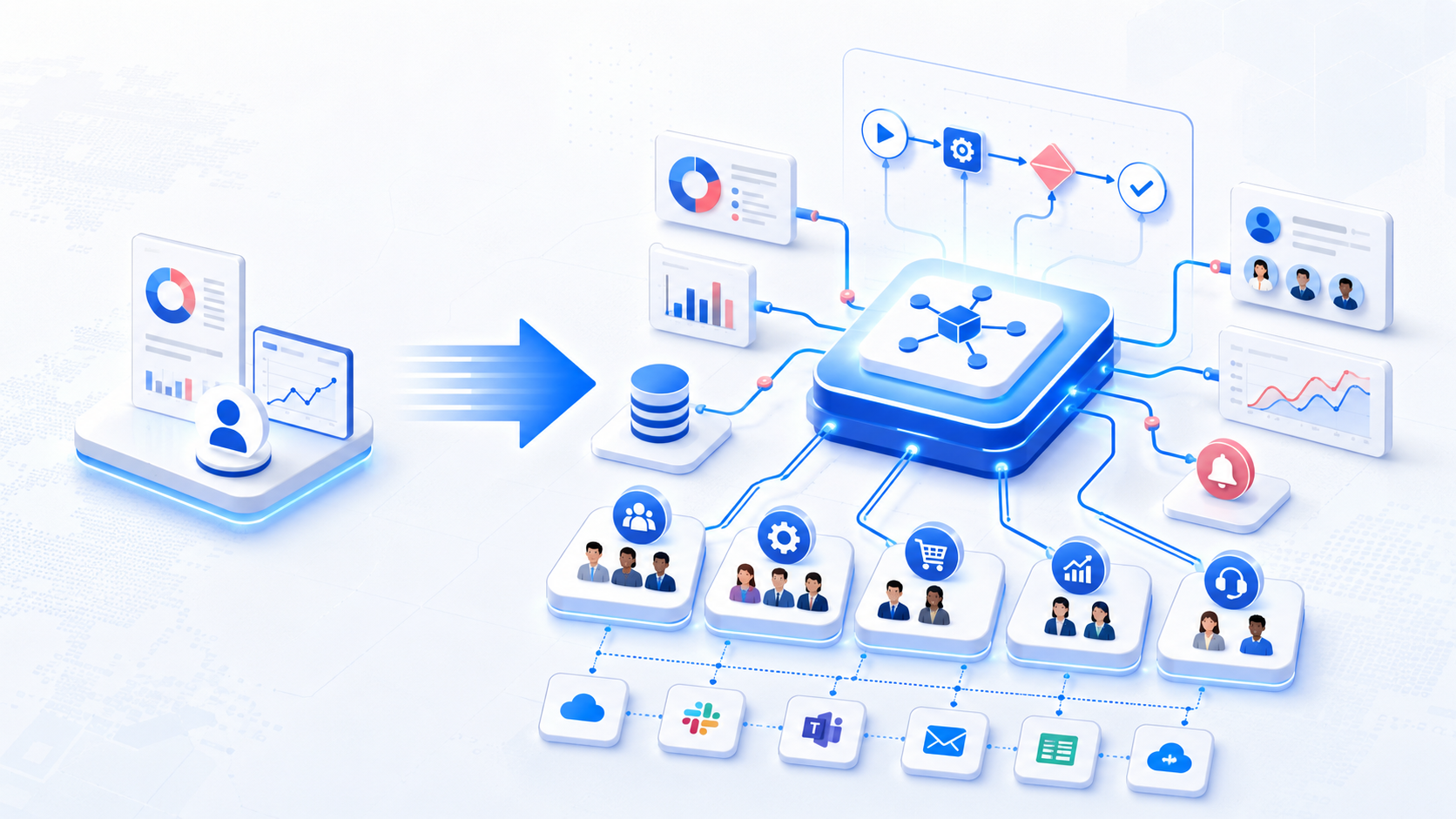
Organizations that use AI well over the long term won’t stop at making individual employees work faster. They’ll work to convert individual productivity gains into organizational capabilities.
For example, if one employee uses AI to produce reports faster, that’s a productivity gain for one person. But if the organization takes the logic of that report and builds it into automation the whole team can use, that becomes an organizational capability.
If a sales manager uses AI to analyze leads every day on their own, that helps that manager. But if the organization builds a tool that pulls CRM data, analyzes the pipeline, and recommends next actions for the entire team, that’s a system that creates leverage for the whole sales organization.
If operations uses AI to occasionally summarize issues from multiple files, that saves some time. But if there’s a dashboard or alert system that automatically detects anomalies, that’s a workflow transformation.
This is where organizations start to see AI’s value more clearly — because AI isn’t just helping people work faster, it’s making entire processes work better.
Conclusion: Don’t Let AI Stop at the Chat Window
Giving employees access to AI chatbots is a good start — but it shouldn’t be the endpoint of AI transformation.
Muze believes AI adoption shouldn’t stop at helping individual employees with chatbots. It should be extended into building tools, workflow automation, and custom software that addresses the organization’s real pain points.
We can help organizations design an AI Enablement approach that gives business-side employees the understanding they need to use AI to build solutions the right way — from translating pain points into requirements, to building initial prototypes, to thinking about data, security, and production-readiness mindset, to establishing a pathway for valuable prototypes to go through review and be elevated into real production systems.
Muze can also assist with the critical steps after a prototype exists: assessing production readiness across security, data governance, architecture, code quality, and operational readiness dimensions; helping remediate findings before deployment; and providing ongoing system care after go-live.
For organizations that have already started giving employees AI access and want to go further than using AI to write, think, or summarize, Muze is ready to be the partner that helps transform AI from an individual tool into a new organizational capability for building the software and workflows that real work runs on.
Contact the Muze team → muze.co.th/contact/