Over the past while, many organizations have started opening up more space for employees to experiment with AI — through training sessions, workshops, and internal hackathons.
These activities have also evolved well beyond teaching people how to write prompts. In many workshops, each team picks a real problem from their day-to-day work and turns it into an actual prototype — a system that helps search through documents, a report summarizer, a tool that helps check data, or an internal tool that cuts down some part of a workflow.
The results on workshop day are often striking. People who have never written a line of code before can build a simple tool of their own. Teams that once assumed a problem would need weeks of development work start to see that some ideas can be tested within a single day. And many prototypes clearly show that, if developed further, they could genuinely cut the time or steps needed to get work done.
But some time after the event ends, plenty of organizations find that most people’s workflows haven’t actually changed. Some prototypes built during the workshop never move past the demo. Some get passed around and used informally within a small team. And some are never opened again after the workshop ends. This is usually the point where organizations start asking whether the problem is that employees still aren’t fluent enough with AI, or whether the workshop itself didn’t hit the mark.
In reality, what’s happening usually has more to do with what comes after the workshop. Making a prototype work is one kind of job; bringing a single tool into an organization’s actual working systems is a different job entirely, with a very different set of conditions.
The Moment a Prototype Starts Being Genuinely Useful, Things Start Getting Complicated
Picture a team that works with a large volume of documents every day. Employees have to open files one at a time, read specific data points, and then key that information into another system. This takes a lot of time and always carries a risk of human error.
In the workshop, the team tried building a tool that uses AI to read documents and automatically pull out the important information. In a short amount of time, the first prototype was already working. The team tested it on sample documents and found the results were pretty good — and if it could be applied to real work, it might cut a significant amount of time out of the process. At demo time, things didn’t look particularly complicated, because the person who built it was the one opening the tool from their own machine, feeding in sample data, and showing the results to the room.
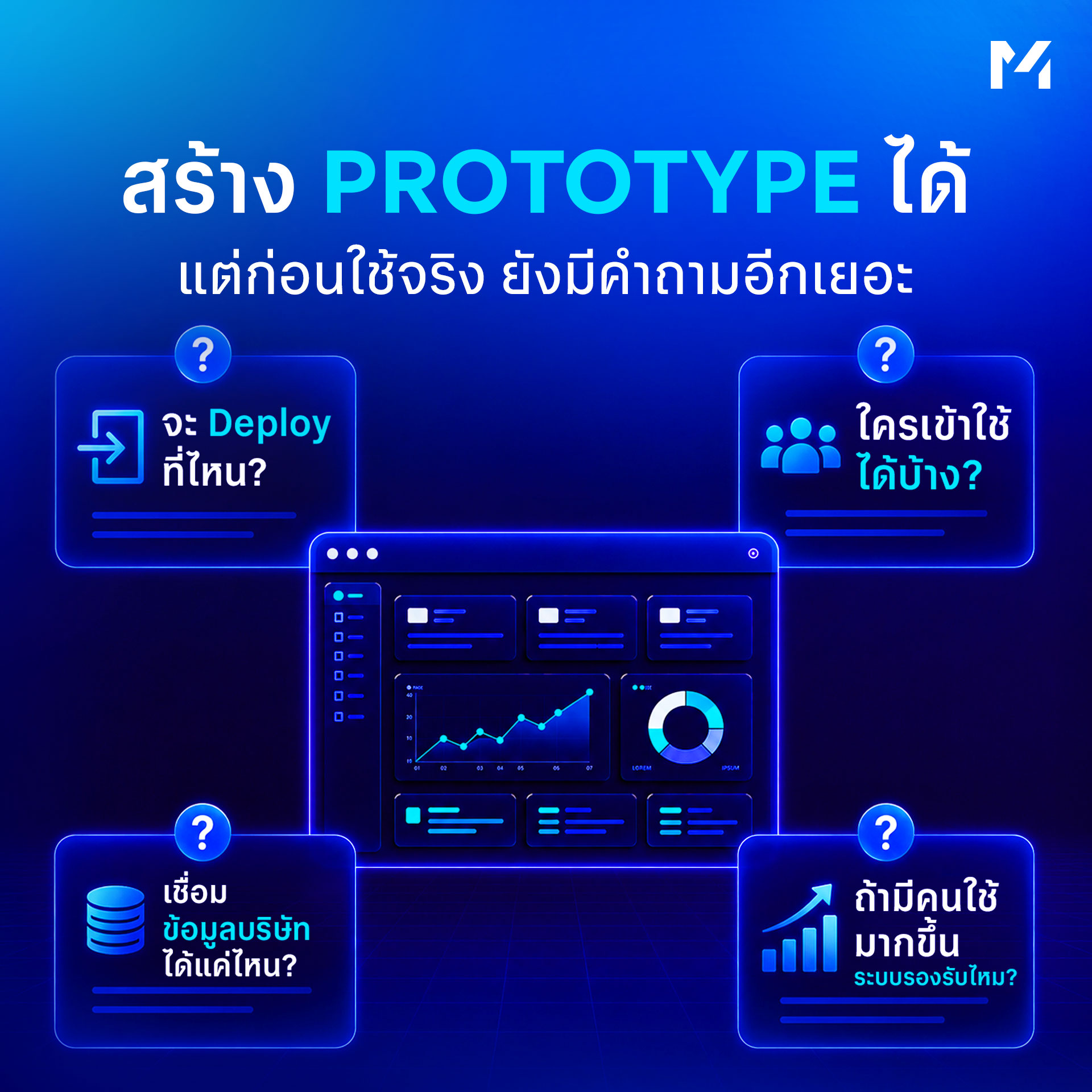
But the moment the team wants other employees to actually start using it, the amount of work that needs handling jumps immediately. There needs to be somewhere to deploy the application so other people can reach it. Someone has to decide who’s allowed to use it. Someone has to check what kind of data is in the documents being fed in, and whether that data can even be sent to an AI model for processing in the first place.
If the tool needs to pull data from internal systems, someone has to design how that connection works. If different people are meant to see different data, the system needs to understand each user group’s permissions too. What started as a small tool built to prove an idea suddenly finds itself unavoidably entangled with infrastructure, security, data, and the organization’s broader systems.
And this is exactly where a large number of prototypes get stuck. Not because the use case has no value, or because the AI doesn’t work — but because what was built during the experimentation phase was never prepared to support use at an organizational scale in the first place.
A Prototype That Works at Demo Time Still Has a Long Way to Go Before It Enters a Real Workflow
The experimentation phase and the real-use phase have different goals. When building a prototype, a team first wants to know whether an idea is even feasible — can AI handle this kind of data, and what kind of user experience would actually fit the people using it?
At this stage, speed matters a lot, so plenty of things can be simplified: using sample data instead of real data, using the builder’s own account, using a temporary environment, or not yet needing to design for every single edge case.
That approach is well suited to experimentation, because there’s no reason to invest in building a full production system for an idea nobody yet knows will actually work. The moment the team decides to put the tool into real use, the situation changes immediately. The system now has to accept real data from real users in many different forms. It has to handle cases where the AI gives a wrong answer, or where a connected external system runs into trouble. It has to manage user permissions properly, and someone has to know what happens if the system goes down.
Maintenance also starts to become a real concern. Whoever built the prototype during the workshop may not be the person maintaining the application over the long run. If the original owner switches teams, who picks it up? If the underlying model or API changes, who even knows what needs fixing? Once a system starts being used in an actual business process, it needs a clear owner and needs to be maintained like any other piece of software — regardless of whether it started life in a workshop or was built directly by a development team.
The Easier AI Makes It to Build a Tool, the More Standards Start to Matter
Previously, building even a single internal application usually had to go through the technology team from the very start: the business side explains the requirement, the tech team scopes the work, architecture gets planned, development and testing happen, and only then does it get deployed. That process could take time, but it had one clear advantage — technology, infrastructure, and how things got deployed were all under the organization’s own framework from the outset.
Now, people on the business side can build far more of their own prototypes. Developers can write applications faster. Small teams can build specialized tools without waiting on a large-scale project. Within a single organization, tools can start appearing simultaneously from multiple teams.
- Marketing might have a system that helps analyze content performance
- Finance might have a tool that reads documents and extracts certain kinds of data
- HR might have a system that lets employees search for policy information
- Operations might have a workflow for checking documents
- Sales might have an AI assistant for looking up product information
Each use case can create real value for its own team, and the organization’s overall ability to build things clearly increases.
What organizations need to watch out for is this: once every team starts building on its own, with no shared central environment, technology differences start to pile up. One team uses one platform while another uses something else entirely. Some applications call an AI service using someone’s personal account. Some have source code sitting only in that team’s own space. Some tools have their own authentication, while others barely have any access control at all, because in the beginning they were only ever meant for a handful of people.
During the experimentation phase, none of this necessarily creates an obvious problem. But once the number of applications grows, IT ends up having to go through and understand each team’s system one by one before it can be allowed to touch real data or be opened up to the wider organization.
Organizations May Build Prototypes Faster, But Production Still Moves at the Same Old Speed
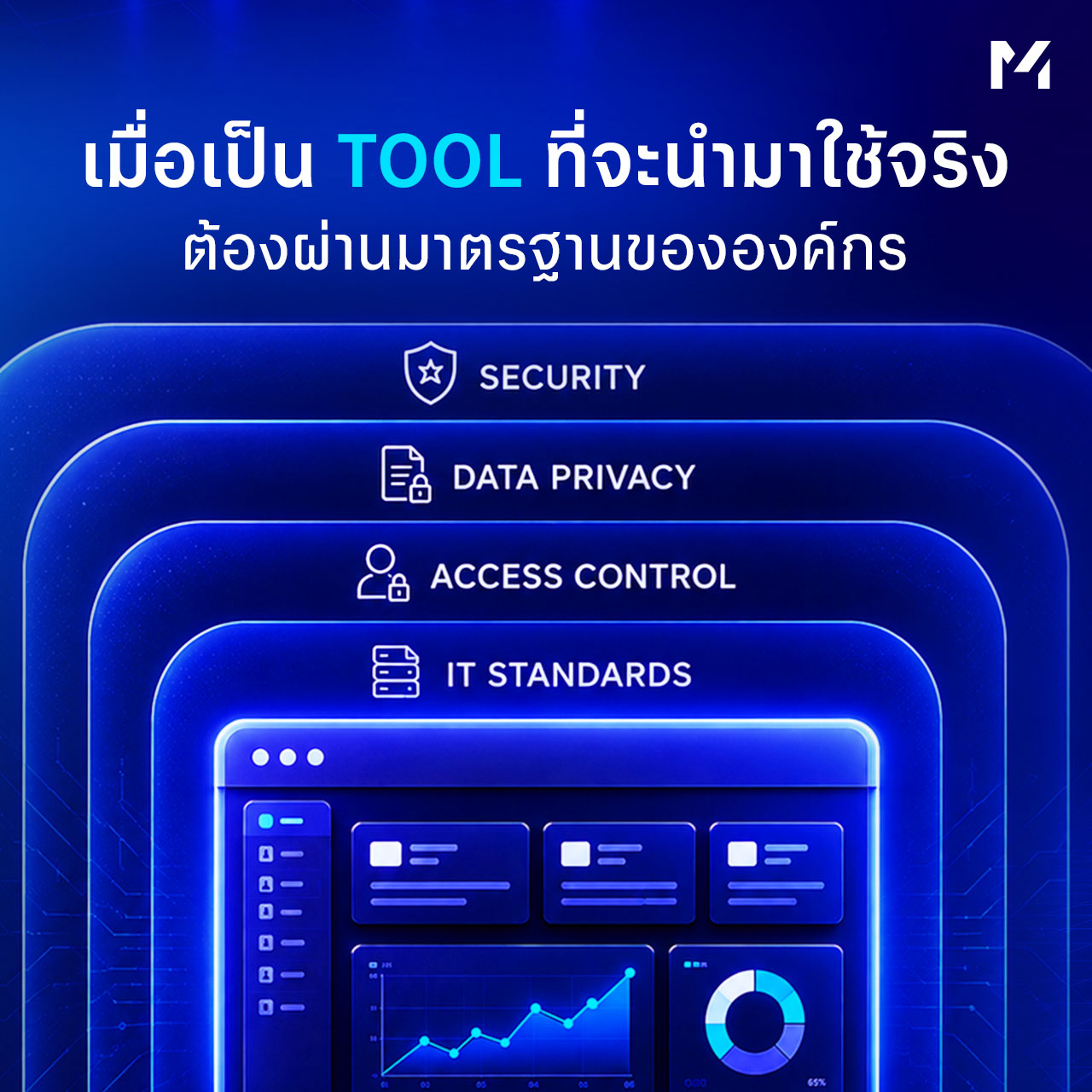
This is a situation showing up more and more as organizations open the door for people to experiment with AI. On one side, the number of ideas and prototypes grows quickly. On the other, the organization’s process for checking infrastructure, security, and integration still has to follow the same standards as before. If each prototype was built a different way, the technology team has to spend time understanding every single system all over again.
- What framework does this application use?
- Which model does it connect to?
- Where is the data stored?
- What data, if any, gets sent outside the organization?
- How is authentication handled?
- Are logs being kept?
- Who is the owner?
- How many concurrent users can the system support?
This work is necessary, because once an application starts connecting to company data, the risk no longer lives only inside the AI model — it lives in how the application itself was built and how it’s being used.
So the issue isn’t that organizations are experimenting with AI too much. The issue is that the structures meant to support that experimentation may not have been designed to handle the growing number of tools. The easier AI makes it for people to build, the more visible the gap becomes between how fast things get built and how fast they can actually go live.
AI Adoption in an Organization Can’t Be Judged by Workshop Attendance Alone
The number of employees who’ve completed AI training is useful information — at the very least, it shows the organization has started building understanding and giving people a chance to try out new technology. The number of prototypes matters too, since it reflects people starting to spot use cases in their own work. But over time, organizations should start looking further, at how much of what came out of those activities was actually built upon.
- Which tools got carried back and actually used by a team?
- Which processes genuinely changed?
- Which applications kept getting developed after the workshop ended?
- Can employees use these tools without constantly relying on whoever built them?
- Have these systems actually passed the standards the organization requires?
If a large number of prototypes get produced every quarter but none of them ever make it into a real workflow, the organization may be running great AI-related activities — while the actual results at the operational level stay fairly limited.
AI adoption starts to carry real weight once employees can apply AI to work they genuinely have to do every day, and the organization can keep those systems running and maintained over time.
Workshops Still Matter — Especially for Surfacing Use Cases From People Closest to the Problem
Recognizing the limitations that show up after a workshop doesn’t make the workshop itself any less important. In many organizations, the people who know best which process most needs improving aren’t on the technology team at all.
- Someone in Finance knows exactly which part of document checking wastes the most time
- The Operations team knows what data has to be copied from one system to another every single day
- The HR team knows which kinds of questions employees keep asking, over and over, all year round
- People closest to the actual work carry context that matters enormously for finding good AI use cases
Workshops are therefore a great opportunity to let this group of people experiment with building a solution from what they run into every day, without having to route every idea through a full development process from the very start. Some ideas, once tried, turn out not to suit AI well. Some help only a little. And some turn into a tool that genuinely helps an entire team.
Fast experimentation lets an organization tell these apart from one another without spending too much to do it. What should be prepared next is this: once a use case worth pursuing shows up, how does the team develop it further without having to rebuild everything from scratch?
What Happens After a Workshop Should Already Be Thought Through Before the Workshop Even Starts
If an organization wants its prototypes to have a real shot at reaching production, the process that follows a workshop shouldn’t start with “so what do we do with this tool now?” There should already be a rough picture, from the very beginning, of where a good use case gets routed to if one shows up. Some prototypes might be best suited as a personal productivity tool, with no need to turn them into a shared central application. Some might only benefit a single team, and can be developed into a small internal tool. Some might touch a core organizational process and need to go through a detailed security, architecture, or data review.
Beyond that, teams taking part in a workshop should also know, if they want to keep developing something further, what environment or tooling the organization already has ready for them — instead of building every application from scratch every single time. An organization can prepare certain foundational building blocks in advance: an authentication approach, a deployment pattern, a way of connecting to an AI model, logging, or permission management.
None of this slows experimentation down. Done well, it actually helps teams get started faster than before, because plenty of things that used to require fresh setup on every project have already been prepared in advance.
IT Itself Has to Shift From Cleaning Up Afterward

In organizations that open the door for the business side to build more AI tools of its own, the technology team’s role has to shift as well. If every single prototype has to be thrown back to IT to handle entirely before it can reach production, the organization’s overall ability to build things may grow — but IT’s capacity doesn’t grow along with it.
The result is a longer queue. Promising prototypes have to wait for review. The business side starts to feel that things get built fast but take forever to actually go live. IT, meanwhile, ends up inheriting systems it had no hand in designing from the start.
A more sustainable way to handle this is for the technology team to help define the boundaries and tools other teams can use from the development stage onward. Some things can become a standard. Some can become a shared service. Some requirements can be built directly into the platform, so individual project developers never have to handle them themselves.
Once these frameworks are clear, the business side can still experiment freely, while IT gains much greater visibility into what technology things are being built on and what data they connect to. Review work no longer has to start from zero every single time.
Production Readiness Should Be Seen as Part of AI Adoption
When people talk about AI adoption, most organizations focus mainly on people and tools.
- Do employees know how to use AI yet?
- Which platform licenses does the organization hold?
- What use cases have already started being tested?
- There’s another piece that belongs in the same picture: production readiness
Because once a use case has proven its value, how quickly it can reach users depends just as much on how ready the organization’s systems are.
- Does the infrastructure support this kind of application?
- Is there an environment ready for further development?
- Are the security review steps clearly defined?
- Are there standards in place for how AI models and data are used?
- Does the team know what an application needs to pass before it can go live?
If an organization has to redesign all of this from scratch every single time a new prototype appears, scaling AI use cases only gets harder as the number of projects grows. On the other hand, if the foundational pieces are already prepared, teams can spend more of their time on business logic and use cases themselves. What needs repeating on every project can still be repeated, and what can be shared no longer needs to be rebuilt.
AEGIS Was Built for the Stretch Between a Prototype and Real Use
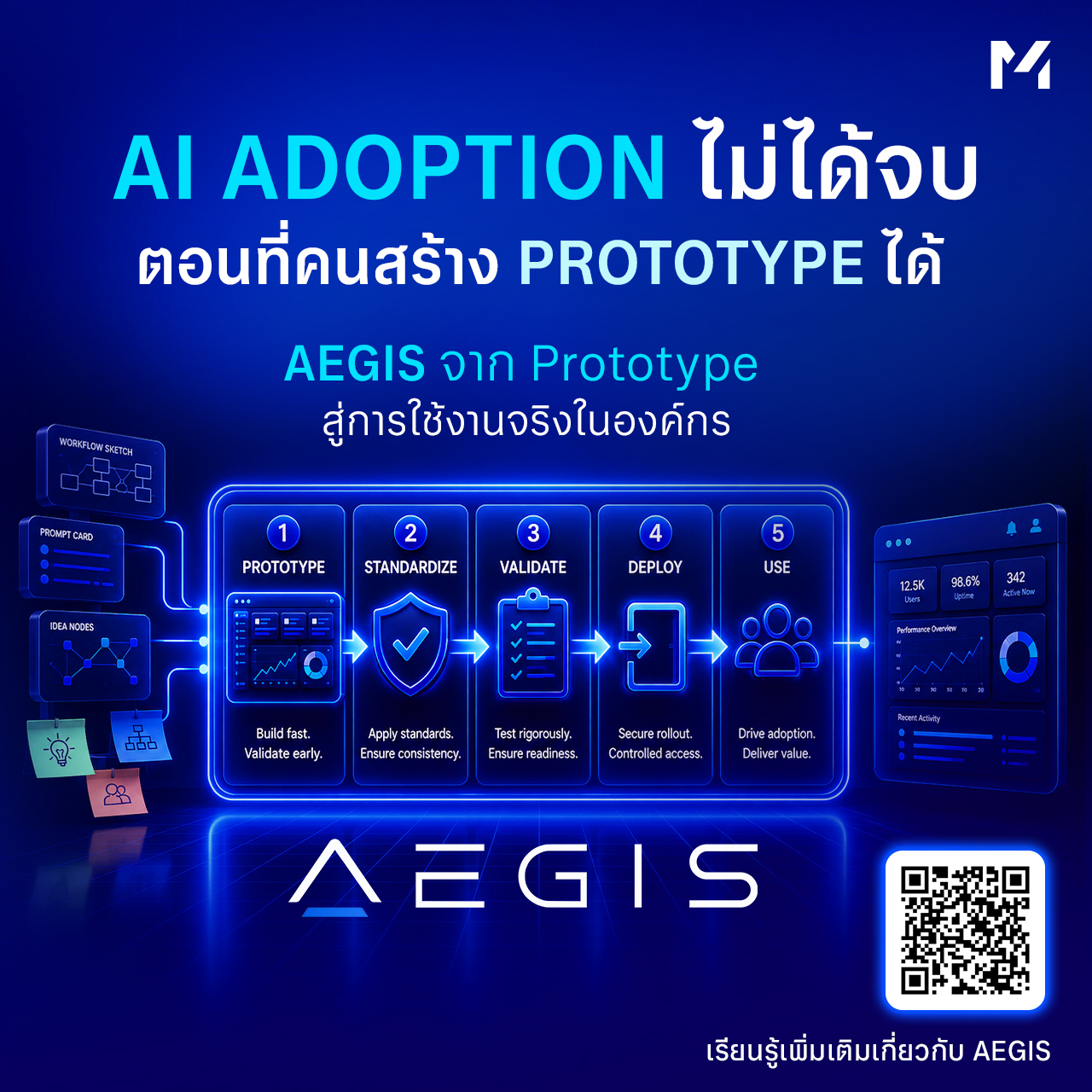
AEGIS started from a problem Muze kept seeing: organizations were building AI prototypes faster than ever, but everything that comes after a prototype still involves a lot of technology work that has to be handled before it can go into real use — from a development environment, to tools and standards teams can share, to a review process, all the way to the infrastructure needed to deploy an application.
The idea behind AEGIS is to give an organization a shared space for developing AI applications, so the fundamentals of enterprise-grade work don’t have to be rethought every single time. Teams can still experiment and build prototypes just as fast as before — but once they hit a use case worth developing further, there’s a much clearer path toward production.
On the technology side, an organization can define its standards for infrastructure, security, data, and access as part of a single, consistent process.
On the business side, the team building a solution doesn’t need to learn every detail of the infrastructure themselves before they can keep developing their application.
The goal of a structure like this is to keep experimentation and real use from drifting too far apart — because the wider that gap grows, the more likely a prototype is to get stuck somewhere in between.
From Workshop to Workflow
A workshop is a great starting point for any organization that wants employees to see exactly where AI can help in their own work. Plenty of genuinely valuable use cases never start from an organization-wide strategy at all — they start with a single employee who feels one part of their job is far too repetitive, and decides to try building a small tool to fix it.
What matters is what happens once that tool proves itself useful: does the organization have a way to carry it forward? Given the right environment, standards the team understands in common, and infrastructure to support it, an experiment that started in a workshop has a real chance of growing into an application people actually use in their day-to-day work.
At that point, the outcome of AI adoption is no longer measured by how many prototypes got built on workshop day. It shows up in the workflows of the people inside the organization — in steps that used to be done by hand and are now faster, in information that used to require digging through multiple systems and is now easy to reach, and in an internal tool that started as one team’s small idea before it became something that genuinely helps people work better.
Get Your AI Prototype Ready for Real Use With AEGIS
AEGIS helps set up the environment, process, and infrastructure for developing AI applications — from prototype all the way to production — under standards suited to real organizational use.