เชียงใหม่ · Team ExperienceChiang Mai · Team Experience
40 คน · โปรแกรม 1 วัน40 guests · One-day program
เดินย่านเมืองเก่าOld-town walk✓
อาหารกลางวันท้องถิ่นLocal lunch✓
เวิร์กช็อปงานคราฟต์Craft workshop✓
ดินเนอร์ริมแม่น้ำRiverside dinner✓
MUZE LAB-05 · TCEB MICE INTELLIGENCE & INNOVATION SUMMIT 2026
ยกระดับ Productivity และ Interactive Experience ด้วย AIAI-Powered Productivity & Interactive Experience
Peeranat (B) Thoonsaengngam
CEO & Founder, Muze
29 กันยายน 2026 · Gaysorn29 September 2026 · Gaysorn
EVERY EVENT IS DIFFERENT
แต่ละงาน จึงต้องการคำตอบที่ต่างกันEvery event needs its own answers.
ผู้เข้าร่วมอยากได้อะไร?What do attendees need?
สถานที่มีเงื่อนไขอะไร?What does the venue allow?
Sponsor อยากเล่าเรื่องไหน?What is the sponsor’s story?
ทีมมีเวลาและงบเท่าไร?How much time and budget?
WRITING · IMAGES · RESEARCH · SUMMARY
จากสิ่งที่คนดู ไปสู่สิ่งที่คนมีส่วนร่วมได้From something people watch to something they can take part in.

วันนี้ เราจะชวนมอง AI ผ่าน 2 เรื่องTODAY, TWO WAYS TO PUT AI TO WORK
สร้างประสบการณ์ที่ดีขึ้นCreate better experiences.
เล่าให้เข้าใจ · เปิดให้มีส่วนร่วมMake it clear. Make it engaging.ทำงานได้ฉลาดขึ้นFind smarter ways to work.
ลดงานซ้ำ · มีเวลาให้สิ่งที่สำคัญLess repetition. More time for what matters.CREATE BETTER
THREE KINGDOMS · THE STORY
THREE KINGDOMS · THE EXPERIENCE
FROM CONVERSATION TO CREATION
เล่าโจทย์ที่อธิบายยาก ช่วยกันหาวิธีเล่า แล้วสั่งให้สร้างจริงBring a difficult story. Explore ways to tell it. Then ask AI to build it.
คุยเพื่อหาไอเดียExplore an idea
ลองทำให้เห็นภาพMake it visible
ปรับจนได้สิ่งที่ดีกว่าเดิมRefine it together
ผลลัพธ์อาจไปได้ไกลกว่าที่เราคิดไว้ตอนเริ่มThe result may go further than you first imagined.
PRODUCT STORYTELLING · MAKE THE INVISIBLE VISIBLEEVENT STORYTELLING · BEHIND THE EXPERIENCEEVENT STORYTELLING · BEHIND THE EXPERIENCE
เหนือผิวน้ำABOVE THE SURFACE
Requirements · Acceptance criteriaใครมา และอยากได้อะไรกลับไปWho attends, and what do they need?
Data model · Validation · Functional testsตั้งแต่ลงทะเบียนจนเดินทางกลับFrom registration to the journey home
Load testing · Timeouts · Error handlingลงทุนตรงจุดที่สร้างคุณค่าInvest where it creates value
Authentication · Authorization
Secrets · Security reviewVenue, Vendor และทีมหน้างานVenue, vendors and the on-site team
Staging · Release approval
Change managementRun sheet, Cue และ Technical rehearsalRun sheet, cues and technical rehearsals
Monitoring · Incident response
Backups · Recovery · OwnershipความปลอดภัยและแผนสำรองSafety and contingency plans
What makes
it reliableเบื้องหลัง
ความราบรื่นBehind a
seamless event
เริ่มจากสิ่งที่ลูกค้าเห็นStart with what the customer sees
เปิดให้เห็นสิ่งที่อยู่เบื้องหลังReveal what lies beneath
งานที่ดูราบรื่น คือผลของงานเบื้องหลังที่คนไม่เห็นA seamless experience rests on work the audience never sees.
CREATE BETTER / HOTELS & VENUES
มีขนาดห้องและตำแหน่งประตู แต่ลูกค้ายังต้องจินตนาการบรรยากาศเองRoom dimensions and door positions still leave clients imagining the atmosphere.
ลูกค้าจะเห็นงานของเขาในพื้นที่นี้ได้อย่างไร?How can clients picture their event in this room?
ทางเดินกลางชัดเจน ทุกสายตามองไปจุดเดียวกันA clear central aisle, with every seat facing the stage.
นั่งฟังเรื่องราวบนเวที แล้วสัมผัสสินค้าจริงที่โซน Hands-onHear the story at the keynote, then explore the product in the hands-on zone.
โต๊ะกลม แสงอุ่น และพื้นที่พบปะระหว่างแขกRound tables, warm lighting and space for guests to connect.
จากแปลนที่อ่าน → เป็นงานที่มองเห็นFrom reading a plan → to seeing an event
จากรูปห้องและแปลน → ให้ลูกค้าเห็นงานของตัวเองFrom photos and plans → help clients see their own event
ห้องเดิม → พื้นที่สำหรับฟัง เรียนรู้ และแลกเปลี่ยนThe same room → a place to listen, learn and exchange ideas
ห้องเดิม → ประสบการณ์ที่พาคนเข้าใกล้สินค้าThe same room → an experience that brings guests closer to the product
ห้องเดิม → บรรยากาศสำหรับค่ำคืนที่น่าจดจำThe same room → an atmosphere for a memorable evening
ภาพแนวคิดสมมติ · การจัดวางไม่ใช่แปลนใช้งานจริงIllustrative concept · Not a construction or operational floor plan
CREATE BETTER / DESTINATION STORYTELLING
เมื่อสิ่งที่เราขายไม่ใช่แค่ห้อง
แต่เป็นประสบการณ์ของทั้งทริปWhen you are selling more than a room:
the experience of an entire trip.
40 คน · โปรแกรม 1 วัน40 guests · One-day program
ใช้ข้อมูลทริปเดิม
เปลี่ยนวิธีเล่าให้ลูกค้าเห็นคุณค่าKeep the itinerary.
Find a story that makes its value clear.
เช้าเปิดมุมมอง → เที่ยงแบ่งปัน → บ่ายสร้างร่วมกัน → ค่ำฉลอง
ทุกกิจกรรมมีบทบาทในเรื่องเดียวกันDiscover → share a local meal → create together → celebrate.
Every activity plays a part in one story.
เดินเมืองเก่าเป็นคู่ แล้วเลือกหนึ่งรายละเอียด
ที่เล่าเรื่องเพื่อนร่วมทีมได้Explore in pairs. Find one detail
that tells a story about your teammate.
นั่งล้อมวง แบ่งกันชิมอาหารท้องถิ่น
แล้วแลกเรื่องราวที่แต่ละคู่พบในช่วงเช้าGather around a shared local meal.
Trade the stories you discovered this morning.
นำสิ่งที่ค้นพบมาต่อยอดในเวิร์กช็อป
ออกแบบชิ้นงานที่เป็นตัวแทนของทีมBring your discoveries into a craft workshop.
Create a piece that represents your team.
ดินเนอร์ริมแม่น้ำ พร้อมเล่าเรื่องชิ้นงาน
และหนึ่งสิ่งใหม่ที่ได้รู้จักกันในวันนี้Over dinner by the river, share your creation
and one new thing you learned about each other.
สถานที่เดิม กิจกรรมเดิม
เมื่อร้อยเป็นเรื่องเดียวกัน ก็ขายประสบการณ์ได้The same places. The same activities.
A connected story makes the experience tangible.
ตัวอย่างแนวคิดทริปและบทสนทนาจำลอง · แผนที่เชิงภาพ ไม่ใช่เส้นทางจริงIllustrative trip concept and simulated conversation · Not a navigation map
MORE THAN A SCREEN
พื้นที่แค่บูธเล็ก ๆ
แต่สินค้าคือไลน์ผลิตทั้งระบบA small booth.
An entire production line to explain.
มีรูปสินค้า โบรชัวร์ และจอ
คนขายยังต้องอธิบายทุกขั้นตอนProduct images, brochures and a screen.
The salesperson still has to explain every step.
เราช่วยลูกค้าไปได้อีกขั้นไหม?Could we help the exhibitor do more?
จากจัดหาจอให้ลูกค้า
สู่ช่วยสร้างสื่อที่เล่าสินค้าได้From providing a screen
to creating the product story.
ใช้ข้อมูลเดิม ช่วยคิดเรื่อง ออกแบบสื่อ
แล้วให้คนดูเลือกสำรวจได้Use existing material to shape the story,
design the media and invite people to explore.
บูธเดิม เพิ่มบริการและประสบการณ์Same booth. More service. A richer experience.
จอพร้อมแล้ว แต่สื่อที่ช่วยให้เข้าใจสินค้ายังต้องมีคนสร้างThe screen is ready. The story still needs to be created.
ลองเปิดดูสื่อที่เราช่วยลูกค้าสร้างได้Let’s open an experience we could create for the exhibitor.
เริ่มจากแต่ละสถานี: เตรียมขวด แล้วบรรจุเครื่องดื่มStart with each station: prepare the bottle, then fill it.
เชื่อมทั้งไลน์: บรรจุ ปิดฝา ติดฉลาก แล้วลงกล่องConnect the line: fill, cap, label, then pack into the carton.
ลองจำลองปัญหา: แยกขวดที่ไม่ผ่าน และแจ้งผู้ดูแลSimulate a problem: separate a failed bottle and notify the operator.
CREATE BETTER / YOUR EVENT JOURNEY
มาเดินดูอะไร และมีเวลาเท่าไหร่?What are you here to explore? How long do you have?
“ผมทำโรงแรม อยากดูระบบประหยัดพลังงาน AI ดูแลลูกค้า และระบบจอง”“I run a hotel. I want to explore energy savings, guest-service AI and booking systems.”
“จัดงานครั้งหน้า อยากดูเทคนิคเวที ระบบลงทะเบียน และวัสดุทำบูธใช้ซ้ำ”“For my next event, I want stage ideas, registration tools and reusable booth materials.”
จากแผนที่ที่เลือกไม่ถูก → สู่เส้นทางที่เหมาะกับเราFrom an overwhelming map → to a route that fits you
เลือกบูธที่เกี่ยวข้อง → เรียงตามทางเดิน → ปรับตามเวลาที่มีFind relevant booths → follow the aisles → fit the time available
BEYOND THE BROCHURE
01 / HANDOUT
ส่งข้อมูลให้ได้
แต่ยังไม่รู้ว่าเขาสนใจอะไรWe share the information.
But what caught their interest?
02 / EXPLORE
สแกน QR เปิดเว็บไซต์สินค้า
เลือกดูรุ่นและการใช้งานที่เกี่ยวกับตัวเองScan a QR to explore products,
models and relevant use cases.
03 / CONVERSATION
ผู้ช่วย AI ใช้ข้อมูลสินค้าและบริการ
ตอบคำถาม พร้อมชี้แหล่งข้อมูลAn AI assistant answers from product
and service information, with sources.
04 / OPPORTUNITY
ผู้เข้าชมเลือกนัดคุยหรือขอใบเสนอราคา
ทีมขายได้รับทั้งช่องทางติดต่อและความต้องการVisitors choose a consultation or quote.
Sales receives their needs and contact details.
ข้อมูลสินค้า · รุ่น · บริการProducts · Models · Services
รับไปอ่าน
แล้วค่อยติดต่อกลับ?Take it away.
Get in touch later?
สแกนเพื่อสำรวจScan to explore
ภาพจำลองIllustrationพื้นที่น้อย · สูงสุด 2,000 ขวด/ชม.Small footprint · Up to 2,000 bph
เติบโตได้ · สูงสุด 6,000 ขวด/ชม.Room to grow · Up to 6,000 bph
ความรู้ของผู้แสดงสินค้าExhibitor knowledge →
NEW ENQUIRY
ส่งต่อทีมขาย พร้อมข้อมูลติดต่อ
และบริบทจากบทสนทนาSend sales the contact details
and conversation context.
สื่อสารทางเดียว — การคุยต่อยังขาดช่วงOne-way information. A gap before the next conversation.
AI ช่วยเปลี่ยนโบรชัวร์เดิม เป็นเว็บไซต์ที่เลือกสำรวจได้AI helps turn an existing brochure into an explorable website.
ให้เขาถามเรื่องที่เกี่ยวกับตัวเอง ไม่ต้องอ่านทุกหน้าLet visitors ask what matters to them, without reading every page.
คนจัดงานให้บริการได้ไกลกว่าโบรชัวร์ — ไปถึงโอกาสขายEvent providers can offer more than brochures: a path to sales opportunities.
ตัวอย่างแนวคิด · ข้อมูลสินค้าและบทสนทนาจำลองConcept demo · Illustrative product data and conversation
สร้างประสบการณ์ที่ดีขึ้น แล้วทำงานให้ฉลาดขึ้นBETTER EXPERIENCES. SMARTER WAYS TO WORK.
สร้างประสบการณ์ที่ดีขึ้นCreate better experiences.
เล่าให้เข้าใจ · เปิดให้มีส่วนร่วมMake it clear. Make it engaging.ทำงานได้ฉลาดขึ้นFind smarter ways to work.
ลดงานซ้ำ · มีเวลาให้สิ่งที่สำคัญLess repetition. More time for what matters.ต่อไป เราจะเน้นที่วิธีทำงานของทีมNow, let’s focus on how the team works.
WORK SMARTER · THREE LEVELS
หาเรื่องที่เราอาจมองข้ามFind what we may have missed
เตรียมทางเลือกเมื่อโจทย์เปลี่ยนPrepare options when plans change
ให้งานหลายคนเดินต่อกันได้Make handoffs work across people
เริ่มจากไฟล์ที่มี และงานที่ต้องทำวันนี้Start with your files and today’s task.
เพิ่มบริบท เพื่อช่วยคิดทางเลือกให้รอบขึ้นAdd context to explore the alternatives.
เมื่อทำซ้ำบ่อย เปลี่ยนวิธีที่ได้ผลเป็นเครื่องมือของทีมWhen it repeats, turn the workflow into a team tool.
ไฟล์ → ทางเลือก → วิธีทำงานร่วมกันFiles → Options → Shared workflows
01 / REVIEW · HOTEL & VENUE
เวลาเข้าติดตั้ง: รอยืนยันSetup time: to be confirmed
อาหารกลางวันแบบบุฟเฟต์Buffet lunch
ห้องหลัก · Classroom 250 คนMain hall · Classroom for 250
ห้องย่อย 2 ห้อง2 breakout rooms
รายการของเราอยู่ใน Excel — ผลตรวจยังว่างทุกช่องOur requirements are in a spreadsheet. The review column is empty.
ข้อเสนอไม่ได้เรียงตาม Checklist เราต้องอ่าน หา และจับคู่เองThe proposal follows a different order. We read, search and match.
มอบหมายให้ AI ตรวจรอบแรก แล้วเราตรวจหลักฐานก่อนตัดสินใจDelegate the first review to AI, then verify the evidence before deciding.
เอกสารและแอนิเมชันจำลอง · ไม่ได้ส่งไฟล์ไปประมวลผลจริงIllustrative documents and animation · No live AI processing
01 / REVIEW · FROM FILES TO FINDINGS
เทียบบรีฟกับ Proposal ระบุสิ่งที่ตรง ขาด หรือขัดกัน พร้อมตำแหน่งต้นทาง และคำถามที่ควรถามต่อCompare the brief and proposal. Cite the source for matches, omissions and conflicts, and list follow-up questions.
REQUIREMENTS · ROW 1
250 คน · Classroom250 people · Classroom
PROPOSAL · P.3
ห้องหลัก · Classroom 250 คนMain hall · Classroom for 250
ตรงตามจำนวนที่ระบุ — ตรวจรายละเอียดอื่นต่อMatches the stated capacity; review the remaining requirements.
REQUIREMENTS · ROW 2
ห้องย่อย 3 ห้อง3 breakout rooms
PROPOSAL · P.3
ห้องย่อย 2 ห้อง2 breakout rooms
อาจจัดกลุ่มพร้อมกันไม่ครบ — เพิ่มห้องที่สามได้ไหม และราคาเท่าไร?Concurrent groups may not fit. Can a third room be added, and at what price?
REQUIREMENTS · ROW 9
อาหารมังสวิรัติ 20 ชุด20 vegetarian meals
PROPOSAL · P.6
อาหารกลางวันแบบบุฟเฟต์Buffet lunch
ยังยืนยันอาหารเฉพาะกลุ่มไม่ได้ — รวม 20 ชุดนี้แล้วหรือยัง?Dietary provision is unconfirmed. Are these 20 meals included?
REQUIREMENTS · ROW 11
เข้าติดตั้งวันก่อนงาน 18:00Setup at 18:00 the day before
PROPOSAL · P.9
เวลาเข้าติดตั้ง: รอยืนยันSetup access: to be confirmed
ยังล็อกทีมติดตั้งไม่ได้ — เข้าพื้นที่วันก่อนงาน 18:00 ได้ไหม?Setup cannot be scheduled yet. Is access at 18:00 the day before available?
ห้องย่อย · อาหาร · เวลาเข้าติดตั้งBreakout rooms · Meals · Setup access
ตรวจทาน แล้วนำไปส่งหรือนัดหมายได้Review, then use it to email or arrange a meeting.
แยกสิ่งที่ครบ กับเรื่องที่ยังต้องตอบ — ตัวอย่าง 4 รายการSeparate covered and open items — four illustrative findings.
1 / 3 · ห้องย่อยไม่ครบ — ขอเพิ่มห้องที่สามและยืนยันราคา1 / 3 · Missing breakout room — confirm availability and price.
2 / 3 · อาหารยังไม่ระบุ — ยืนยันมังสวิรัติ 20 ชุด2 / 3 · Dietary meals unspecified — confirm 20 vegetarian meals.
3 / 3 · เวลาติดตั้งรอยืนยัน — เข้าพื้นที่วันก่อนงาน 18:00 ได้ไหม?3 / 3 · Setup access pending — confirm 18:00 the day before.
จากผลตรวจ → ร่างอีเมลขอ Proposal ใหม่ หรือเตรียมวาระนัดคุยFrom findings → a proposal revision request or meeting agenda.
เตรียมวาระนัดคุย — เคลียร์ประเด็นก่อนยืนยัน ProposalPrepare a meeting agenda — resolve open points before confirming the proposal.
สถานการณ์และข้อมูลสมมติสำหรับการนำเสนอIllustrative scenario and data
02 / REPLAN · DMC & OPERATIONS
แผนเดิมเลื่อนตามทั้งหมดไม่ได้Shifting every stop will not work
ยังไม่มีคำยืนยันจากผู้ให้บริการSupplier confirmation is still needed
ใช้ Itinerary และเวลาเดินทางที่มีอยู่Use the itinerary and known travel times.
เลื่อนเวลาแล้ว เห็นผลกระทบตลอดเส้นทางThe delay propagates through the journey.
แยกสิ่งที่รู้ ออกจากเรื่องที่ต้องถามเพิ่มSeparate known constraints from missing information.
สมมติฐาน: รับหลังเครื่องลง 30 นาที · รถไปโรงแรม 60 นาที · โรงแรมถึงมื้อค่ำรวม 60 นาทีAssumptions: pickup +30 min · airport–hotel 60 min · hotel arrival to dinner 60 min
02 / REPLAN · COMPARE → CONFIRM → CHOOSE
19:00 รถรับ → 20:00 เช็กอิน → 21:00 ดินเนอร์19:00 Pickup → 20:00 Check-in → 21:00 Dinner
แขกได้เก็บกระเป๋า และพักก่อนมื้ออาหารGuests can drop their bags and rest before dinner.
ดินเนอร์เกินเวลาครัวปิด 20:30 ต้องจัดมื้อดึกแยกDinner is after the 20:30 kitchen closure; a separate late meal is needed.
ยืนยันมื้อดึกและราคา · รถ–ไกด์รับ 19:00 และจบงานตามแผน A ได้ไหม?Confirm the late meal and price, plus bus and guide availability for a 19:00 pickup and plan A.
อาหารชุดเตรียมล่วงหน้า · เสิร์ฟ 21:00 · ราคาเดิมPre-arranged set meal · served at 21:00 · same price
19:00 รถรับ → 20:00 ร้านอาหาร → 21:30 โรงแรม19:00 Pickup → 20:00 Restaurant → 21:30 Hotel
แขกได้ทานอาหารเร็วขึ้น โดยไม่ต้องรอเช็กอินGuests can eat earlier without waiting to check in.
เช็กอินช้า แขกยังไม่ได้พักและมีสัมภาระติดตัวLater check-in; guests have not rested and still have their luggage.
ร้านรับ 20:00 / ครัวปิดกี่โมง? รถ–ไกด์อยู่ถึงส่งโรงแรม 21:30 ได้ไหม? ยืนยันเช็กอินช้าConfirm restaurant hours, bus and guide through the 21:30 hotel drop-off, and late check-in.
ทั้งสองแผนต้องยืนยันรถ–ไกด์: รับ 19:00 ได้ไหม อยู่ได้ถึงกี่โมง และมีค่ารอเพิ่มหรือไม่?
ตรวจมื้อดึกของ A และร้านของ B ควบคู่กัน — หากรถ–ไกด์พร้อมและ A อยู่ในงบเดิม แนะนำ A เพื่อให้แขกได้พักก่อนBoth plans need bus and guide confirmation: 19:00 pickup, service end time and waiting fees.
Check A’s late meal and B’s restaurant in parallel. Prefer A for guest rest if transport and guide are available and A stays within budget.
อาหารชุดเตรียมล่วงหน้า · เสิร์ฟ 21:00 · ราคาเดิมPre-arranged set meal · 21:00 service · same price
รับ 19:00 → ส่งโรงแรม 20:00 · ไม่มีค่ารอเพิ่ม19:00 pickup → 20:00 hotel · no extra waiting fees
เลือก A เป็นแผนเสนอให้ลูกค้า — มื้อดึกและรถ–ไกด์ยืนยันแล้ว แขกได้พัก ไม่มีค่าอาหารหรือค่ารอเพิ่มChoose A to propose to the client — the late meal, bus and guide are confirmed; guests can rest with no extra meal or waiting fees.
AI เทียบ Upside / Downside และแนะนำจากข้อมูลที่มีAI compares upsides and downsides using the available facts.
DMC ตรวจสอบกับผู้ให้บริการ แล้วส่งข้อมูลที่ยืนยันแล้วกลับให้ AIDMC checks with suppliers and gives AI the confirmed information.
ข้อมูลเปลี่ยน คำแนะนำเปลี่ยน — DMC เลือกแผน แล้วขอลูกค้ายืนยันNew facts change the recommendation — DMC chooses a plan for client confirmation.
สถานการณ์และคำยืนยันเป็นตัวอย่าง · B: สนามบิน–ร้าน 60 นาที / มื้ออาหาร 60 นาที / ร้าน–โรงแรม 30 นาทีIllustrative scenario and confirmations · B: 60 min to restaurant / 60 min dinner / 30 min to hotel
02 / REPLAN · EVENT & BRAND OWNER
งบรวม 600,000 บาทTotal budget: ฿600,000
ชมสาธิต 420 · ลองเครื่อง 180 คนWatched: 420 · Tried: 180
ขอราคา / นัดสาธิต 72 คน72 requested pricing / a demo
36/60 คนบอกว่าคิวลองเครื่องนาน36/60 reported long trial queues
นี่คือข้อมูลหลังงานเปิดตัวเครื่องชงกาแฟ ช่วยวิเคราะห์ว่าอะไรได้ผล อะไรควรปรับ และแนะนำสำหรับงานครั้งหน้า พร้อมหลักฐานและข้อมูลที่ยังขาดAnalyze this coffee machine launch data: what worked, what needs improvement, and what should change next time? Cite evidence and identify missing information.
ที่มา: Budget / Attendance / Enquiries · งบส่วนอื่น 180,000 บาท · ผู้เข้าร่วมอาจซ้ำกันระหว่างกิจกรรมSources: Budget / Attendance / Enquiries · Other costs: ฿180,000 · Participants may overlap across activities
ชมบาริสต้าสาธิต 420 คน แต่ยังโยงกับผู้สนใจไม่ได้ จึงยังตัดสินความคุ้มค่าไม่ได้420 watched the barista demo; follow-up attribution is missing. That does not prove the stage failed.
ลอง 180 คน ขอคุยต่อ 72 คน (40%); ผู้ตอบ 36/60 ระบุว่ารอนาน จึงน่าทดลองเพิ่มรอบเพื่อลดเวลารอและรองรับคนมากขึ้น72 of 180 visitors requested follow-up (40%); 36/60 respondents reported long waits. Test more sessions to reduce waits and serve more people.
เปิดตัวเครื่องชงกาแฟรุ่นใหม่: ชมบาริสต้าสาธิต → ลองเครื่องและชิมกาแฟNew coffee machine launch: watch a barista → try the machine and taste coffee.
รวมข้อมูลให้เทียบกันได้ โดยไม่เดาผลที่ไม่มีหลักฐานCompare the data without inventing missing outcomes.
AI พบโอกาสจากข้อมูล แล้วเสนอสิ่งที่ควรทดลองและวัดเพิ่มAI identifies opportunities in the data and suggests what to test and measure next.
ข้อมูลสมมติสำหรับนำเสนอ · การขอติดต่อกลับไม่ใช่ยอดขาย · แบบประเมินเป็นข้อมูลเฉพาะผู้ตอบIllustrative data · Follow-up opt-ins are not sales · Survey findings describe respondents only
02 / REPLAN · COFFEE MACHINE LAUNCH
เวที 300,000 · ทดลอง 120,000 บาทStage ฿300,000 · Demo ฿120,000
คงเวลาสาธิตจุดขายสำคัญ พร้อมติดตามคนไปลองเครื่องKeeps time to demonstrate key features; tracks the journey into machine trials.
จุดลองเครื่องยังมีเท่าเดิม ต้องแก้เรื่องคิวMachine trial capacity stays unchanged; queues still need attention.
แบรนด์ต้องสื่อสารจุดขายอะไรบ้าง? เชื่อมข้อมูลกิจกรรมอย่างไร?Which key features must the brand communicate? How will activity data be linked?
เวที 250,000 · ทดลอง 170,000 บาทStage ฿250,000 · Demo ฿170,000
อาจรองรับผู้ลองเกิน 180 คน ประสบการณ์ดีขึ้น และทดสอบว่าอัตราขอคุยต่อเพิ่มไหมMay serve over 180 visitors with a better experience; test whether the follow-up rate improves.
เวลานำเสนอลด ต้องสื่อจุดขายให้กระชับ และเพิ่มทีมดูแลเครื่องLess presentation time: condense key messages and add staff to guide machine trials.
เจ้าของแบรนด์ยอมลดช่วงนำเสนอ โดยยังสื่อจุดขายครบไหม?Will the brand owner accept less stage time while retaining all key messages?
เจ้าของแบรนด์เห็นชอบ · ทีมและพื้นที่พร้อม · อยู่ในงบเดิมBrand owner aligned · team and space ready · within budget
เสนอ B เพื่อทดลอง จากความสนใจหลังลองเครื่องและเสียงสะท้อนเรื่องคิว — ยืนยันกับเจ้าของแบรนด์และเช็กความพร้อมก่อน
ยังไม่รับประกันว่าเพิ่มงบแล้วผลจะดีขึ้น ต้องกำหนดวิธีวัดผลด้วยPropose testing B based on trial follow-up interest and queue feedback, subject to brand owner approval and operational checks.
More spend does not guarantee better results; define how success will be measured.
เน้นลองเครื่อง · ลดเวลานำเสนอได้ โดยยังสื่อจุดขายครบPrioritize trials · Shorter presentation retains key messages
เพิ่มรอบลองเครื่องได้ · งบรวมยัง 600,000 บาทMore machine trial sessions · Total stays at ฿600,000
เลือก B เป็นแผนร่าง — โยก 50,000 บาทจากเวทีไปโซนทดลอง งบส่วนอื่นคงเดิมChoose B as the draft plan — move ฿50,000 from stage to demo; other costs stay unchanged.
AI ต่อยอดข้อค้นพบเป็นทางเลือก พร้อมเงื่อนไขก่อนตัดสินใจAI turns findings into options, with conditions to check before deciding.
เจ้าของแบรนด์ยืนยันเป้าหมายและข้อจำกัด ก่อนปรับแผนThe brand owner confirms goals and constraints before changing the plan.
ได้แผนครั้งหน้า และวิธีเรียนรู้ว่าการปรับนั้นได้ผลไหมLeave with a plan and a way to learn whether it worked.
ตัวเลขและคำยืนยันสมมติ · งบรวมทั้ง A/B 600,000 บาท รวมส่วนอื่น 180,000 บาทIllustrative budgets and confirmations · Both plans total ฿600,000, including ฿180,000 in other costs
03 / WORKFLOW → APP · ORGANIZER
A12 · หนึ่งบูธ หลายเรื่องต้องพร้อมOne booth. Many things to prepare.
ชื่อบริษัทCompany details
โลโก้และชื่อป้ายLogo & fascia name
แบบบูธBooth drawings
อนุมัติแบบDrawing approval
ไฟฟ้าElectrical needs
อินเทอร์เน็ตInternet service
บูธ × หลายรายการ × หลายฝ่ายbooths × requirements × teams
การจองคือจุดเริ่มต้นของงานประสานBooking is the start of the coordination.
ข้อมูล ไฟล์ บริการ และการอนุมัติ ต้องตามแยกกันTrack data, files, services and approvals separately.
พอมี 40 บูธ ใครรู้ว่าติดอยู่ตรงไหน?With 40 booths, who knows what is holding each one up?
สถานการณ์และข้อมูลสมมติสำหรับการนำเสนอIllustrative scenario and data
03 / WORKFLOW → APP · EXHIBITOR READINESS
| รายการที่ต้องเตรียมRequirement | สถานะล่าสุดCurrent status | ทีมที่เกี่ยวข้องTeam involved |
|---|---|---|
| ข้อมูลบริษัทCompany details | ✓ครบแล้วComplete | ทีมประสานงานExhibitor team |
| โลโก้Logo | ✓พร้อมผลิตProduction-ready | ทีมออกแบบDesign team |
| แบบบูธ v1Booth drawing v1 | ↺ต้องแก้ไขRevision requested | ทีมตรวจแบบDrawing reviewer |
| ไฟฟ้าElectrical needs | รอยืนยันPending confirmation | ทีมไฟฟ้าElectrical team |
| อินเทอร์เน็ตInternet | —ยังไม่ส่งNot submitted | ผู้แสดงสินค้าExhibitor |
ติดตามรายเรื่อง ไม่ใช้สถานะเดียวครอบทั้งบูธTrack each requirement, not just one status per booth.
ออกแบบจังหวะส่งต่องาน ก่อนออกแบบหน้าจอDesign the handoffs before the screens.
คนตรวจแบบและอนุมัติ ระบบช่วยให้งานเดินต่อPeople review and approve; the app keeps work moving.
สถานการณ์และข้อมูลสมมติสำหรับการนำเสนอIllustrative scenario and data
03 / WORKFLOW → APP
ส่งข้อมูล · แก้ไข · ดูสถานะSubmit · Revise · Track
ไฟล์ล่าสุด · สถานะ · ประวัติLatest files · Status · History
ตรวจ · อนุมัติ · ตามงานค้างReview · Approve · Follow up
เอาวิธีทำงานที่ตกลงกัน มาเป็นโจทย์ให้ AI ช่วยสร้างเครื่องมือUse an agreed workflow as the brief for an AI-assisted app.
ต่อไป ลองเริ่มจากโจทย์งาน แล้วค่อยคิด workflow และสร้างแอปNext: start with the event brief, design the workflow, then build.
ภาพแนวคิด · สิทธิ์และขั้นตอนต้องทดสอบก่อนใช้จริงConcept illustration · Validate permissions and workflows before real use.
AI (Claude, ChatGPT, Gemini etc)
40 บูธ · ผู้แสดงสินค้าและผู้จัดbooths · Exhibitors and organizers
Portal จัดการความพร้อมผู้แสดงสินค้าและติดตามงานร่วมกันA shared portal for exhibitor readiness and coordination
ผู้แสดงสินค้า · ผู้จัดงาน · ทีมบริการExhibitors · Organizers · Service teams
ส่งแบบ → ตรวจ → ขอแก้ → อนุมัติSubmit → Review → Revise → Approve
Codex / Claude Code
Production App Store
แนะนำให้แยกงานเป็นขั้นตอนแบบนี้I suggest organizing the work like this:
แยกสถานะแบบบูธ ไฟฟ้า และอินเทอร์เน็ต เก็บเหตุผลและเวอร์ชันทุกครั้ง ผู้แสดงสินค้าเห็นเฉพาะบูธตนเอง ส่วนผู้จัดเห็นภาพรวมTrack drawings, power and internet separately. Keep reasons and versions. Exhibitors see only their booth; organizers see the overview.
▤ Exhibitor Portal — App Requirements.md
รายละเอียดบทบาท ข้อมูล หน้าจอ workflow และเงื่อนไขตรวจรับ ตามที่เราคุยกันRoles, data, screens, workflow and acceptance checks based on our conversation.
เล่าปัญหาจริง ยังไม่ต้องรู้ว่าจะออกแบบแอปอย่างไรStart with the real problem; you do not need to design the app yet.
AI ถามเพิ่ม เราเติมบริบทที่รู้จากการทำงานAI asks questions; we provide the operational context.
คุยและปรับจนได้ workflow ที่ทีมตกลงร่วมกันDiscuss and refine a workflow the team agrees on.
จาก Requirement → ให้ AI ช่วยเขียนโค้ด → สร้างเป็น Web AppRequirements → AI-assisted coding → a working web app.
ดู Requirement แบบละเอียด แล้วนำไปให้ AI สร้างแอปต่อReview the detailed requirements, then let AI build the app.
ไม่ต้องเขียนโค้ดเอง ก็เริ่มสร้างเครื่องมือสำหรับทีมได้Start building tools for your team without writing the code yourself
บทสนทนาและผลลัพธ์ตัวอย่าง ไม่ใช่การเรียก AI สด · กด Space เพื่อเล่าต่อทีละช่วงIllustrative conversation and output, not a live AI call · Press Space to advance each exchange.
WORKFLOW → WORKING EXPERIENCE
BrewCraft Coffee → ทีมผู้จัดงานBrewCraft Coffee → Event operations
BrewCraft Coffee · บูธ 3 × 3 เมตรBrewCraft Coffee · 3 × 3 m booth
BrewCraft Coffee · ตรวจไฟล์ของคุณก่อนส่งให้ผู้จัดBrewCraft Coffee · Check your file before sending it to the organizer
แบบบูธขนาด 3 × 3 เมตร พร้อมผนังแสดงสินค้าและเคาน์เตอร์ต้อนรับ3 × 3 m booth with a product wall and reception counter.
ได้รับแบบ v1 จาก BrewCraft Coffee · บูธ A12Drawing v1 received from BrewCraft Coffee · Booth A12
รอผู้จัดตรวจแบบอีกครั้งWaiting for the organizer to review the revision
ความคิดเห็นและแบบเดิมอยู่ในงานเดียวกันFeedback and previous versions stay in one place
ย้ายเคาน์เตอร์แล้วตามความคิดเห็น โปรดตรวจแบบ v2 อีกครั้งCounter relocated as requested. Please review drawing v2.
นภาตรวจแบบ v2 และอนุมัติแล้ว · ผู้แสดงสินค้าเห็นสถานะเดียวกันNapa reviewed and approved v2 · The exhibitor sees the same status
ก่อน 4 ต.ค. · และติดตามการยืนยันอินเทอร์เน็ตจากทีมบริการDue 4 Oct · Also follow up on internet confirmation with the service team
เห็นงานค้าง กำหนดส่ง และลำดับที่ควรทำSee outstanding tasks, deadlines and priorities
ส่งแบบจาก portal ไม่ต้องตามหาไฟล์ในแชตSubmit in the portal without searching chat threads
ผู้จัดตรวจแบบ และขอแก้พร้อมเหตุผลที่ชัดเจนThe organizer reviews and explains the requested changes
แก้ไข ส่ง v2 และเก็บประวัติเดิมครบRevise, submit v2, and retain the full history
อนุมัติแบบแล้ว ยังเห็นงานอื่นที่ต้องทำต่อDrawing approval keeps outstanding services visible
แอปจำลอง · ข้อมูลและไฟล์ตัวอย่าง · สลับบทบาทเพื่อสาธิต ไม่มีการส่งไฟล์จริงSimulated app · Sample data and files · Role switching for demonstration; no actual upload
FROM SALES DATA TO A TEAM APP
ประวัติ inquiry และยอดขาย · 18 เดือนInquiry and sales history · 18 months
ข้อมูลบริษัทและผู้ติดต่อCompanies and contacts
“มีข้อมูลสองไฟล์นี้ ช่วยวิเคราะห์ให้หน่อยว่า
เราเอาไปช่วยงานขายโรงแรมได้อย่างไรบ้าง?”“How could these two files help our hotel sales team?
Analyze the data and suggest useful next steps.”
ดีล Open · กำหนดติดตาม 22 ก.ย.
เลยมา 7 วัน — ควรเช็กว่าได้คุยแล้วหรือยังOpen deal · Follow-up due 22 Sep
7 days overdue — check whether contact was made
เคยจัด 100 คน · ปีนี้ขอประชุม 120 คน
inquiry 28 ก.ย. — ยังไม่ได้เปิดดีลปี 2026Previously hosted 100 guests; this year requests 120.
Inquiry on 28 Sep — no 2026 opportunity opened yet.
Product Launch ยัง Open
ช่องชื่อผู้ติดต่อว่าง — ต้องเติมก่อนตามต่อProduct Launch is still open
Contact name is blank — complete the record first
เห็นข้อมูลในสองไฟล์แล้ว แนะนำอะไรได้บ้าง
ที่จะช่วยให้ทีมขายโรงแรมทำงานดีขึ้น?Now that you have seen both files, what would you suggest
to help our hotel sales team work better?
เริ่มจาก 3 เรื่องนี้ได้ครับI would start with three opportunities:
ก่อนแนะนำเครื่องมือ ตอนนี้ทีมตามลูกค้าและจดผลกันอย่างไร?Before suggesting a tool, how do you follow up and log outcomes today?
เซลส์กับหัวหน้าเห็นข้อมูลต่างกันไหม?
ต้องส่งข้อความอัตโนมัติ หรือให้คนเป็นผู้ตัดสินใจ?Should salespeople and managers have different access?
Should it send messages automatically, or let people decide?
ผมแนะนำให้ทำ workflow กลาง แล้วสร้างเป็น MICE Sales Tracker ครับI recommend a shared workflow, delivered as a MICE Sales Tracker.
ถ้าแนวทางนี้ตรงโจทย์ ให้ผมสรุปเป็น App Requirement เลยไหมครับ?Does this direction fit? Shall I turn it into app requirements?
ใช่ครับ เอาตามนี้ ช่วยทำ App Requirement
พร้อมข้อมูลตัวอย่าง ให้เอาไปสร้างแอปต่อได้เลยYes, let’s use this approach. Please prepare the app requirements
with sample data so we can build it.
สรุปให้แล้วครับ ในเอกสารมีครบทั้งDone. The document includes:
นำเข้า Sales History + Customers ด้วย Customer ID
เก็บแพ็กเกจ จำนวนคน ราคาต่อคน ยอดรวม สถานะและวันติดตามImport Sales History + Customers using Customer ID.
Keep packages, pax, unit price, totals, status and follow-up dates.
เซลส์จัดการบัญชีที่รับผิดชอบ · หัวหน้าเห็นภาพรวมทีม
ตรวจสิทธิ์ฝั่งระบบ ไม่ใช่แค่ซ่อนปุ่มSalespeople manage assigned accounts; managers see team activity.
Enforce permissions in the system, not just in the interface.
Signal → AI แนะนำทันที → ถามต่อ → เลือกคำแนะนำ
เปิดดีลเองได้ / Dashboard / Forecast พร้อมสมมติฐานSignal → immediate AI advice → follow-up chat → choose advice.
Direct deal creation / dashboard / forecast with assumptions.
อ้างอิงข้อมูลที่พบ ไม่สรุปว่าดีลเสียจากวันค้างอย่างเดียว
ใช้ข้อมูลจำลองก่อน ไม่ส่งข้อความหรือใบเสนอราคาอัตโนมัติShow evidence; an overdue date alone does not mean a lost deal.
Start with fictional data. No automatic messages or quotes.
ผู้ติดต่อ Arun · ผู้ดูแล NarinContact Arun · Account owner Narin
Full-day Meeting
100 × ฿1,800
Annual Meeting · 16 Oct
ขอแพ็กเกจประชุมเต็มวันRequested a full-day package
แนะนำเปิดดีลเพื่อให้ทีมตามงานต่อได้ โดยยังไม่ส่งใบเสนอราคาOpen an opportunity for team follow-up, without sending a quote yet.
เลือก Full-day Meeting เป็นฐาน ฿216,000 โดยเก็บคำถามเหล่านี้เป็นงานของ NarinUse Full-day Meeting as the ฿216,000 baseline, and save these checks as Narin’s tasks.
เปิดดีลครั้งเดียว ทุกฝ่ายเห็นข้อมูลชุดเดียวกันOne opportunity record, shared across the team
งานที่เสร็จแล้ว
จะรวมไว้ที่นี่Completed tasks
will appear here
สถานะงานแยกจากขั้นตอนดีล · ทุกคนเห็นว่าใครต้องทำอะไรต่อTask status is separate from deal stage · Clear ownership and next actions
ตามเดือนจัดงาน · ก.ย.* เป็นยอดถึง 29 ก.ย. · ส่วนคาดการณ์ไม่ใช่รายได้ที่รับรู้แล้วBy event month · Sep* through 29 Sep · Forecast is not recognized revenue
Backlog จาก booking ที่ยืนยันแล้วBacklog from confirmed bookings
มูลค่าดีล × โอกาสปิดที่ทีมกำหนดDeal value × team-assigned win probability
เพิ่ม booking และดีลตัวอย่างของทั้งโรงแรม
แยก backlog กับดีลเปิด ไม่รวมยอดซ้ำIncludes extra sample hotel bookings and deals.
Backlog and open deals do not overlap.
เห็นทั้งผลงานที่ผ่านมา งานยืนยันแล้ว และโอกาสในเดือนถัดไปPast performance, confirmed work and upcoming opportunities
แพ็กเกจไม่ตรง · ขั้นตอนคนละแบบ
รายงานที่ต้องทำ Excel เพิ่มเองPackages do not fit. Stages differ.
Reports still need another spreadsheet.
ข้อมูลเรา · แพ็กเกจเรา · สิทธิ์ของทีมเรา
workflow และ forecast ที่องค์กรต้องการYour data, packages and team permissions.
The workflows and forecasts your organization needs.
เริ่มจากโจทย์จริง → คุยกับ AI → ทดลองกับทีม → ปรับจนเหมาะกับงานStart with a real need → discuss with AI → test with the team → refine the fit
ข้อมูลและบทสนทนาจำลอง · ไม่ใช่การวิเคราะห์ AI สด · กด Space เพื่อเล่าต่อFictional data and conversation · Not live AI analysis · Press Space to continue
FROM BUILDING TO GOING LIVE
AEGIS ทำให้เรามี Internal App Store — รวมแอปที่ทีมสร้าง ให้ทั้งทีมเข้ามาใช้AEGIS gives us an internal app store — apps built by the team, for the team
เมื่อมี AEGIS ทีม Muze ก็สร้างแอปใช้เองได้ — ส่วนใหญ่เป็น non-techWith AEGIS, Muze teammates build their own apps — most are non-technical
จากเว็บที่ AI ช่วยสร้าง สู่ลิงก์ที่คนทั่วไปเปิดใช้ได้From an AI-created website to a link anyone can open.
เมื่อเตรียมระบบให้พร้อม คนที่ไม่ใช่ Developer ก็เริ่มสร้างได้With the right setup, people without a developer background can start building.
แอปทำงานได้ ยังต้องตรวจว่าใครเข้าถึงข้อมูลอะไรได้บ้างA working app still needs checks on who can access which data.
AEGIS ช่วยเชื่อม AI Coder กับระบบที่ทีมใช้งานจริงAEGIS connects AI coders with the systems your team uses.
เข้าใจงาน → คุย → ลองสร้างUnderstand → Discuss → Build
ทีม Muze ที่ไม่ใช่ Dev
ก็เริ่มทำเว็บและแอปได้แล้วNon-developers at Muze
are already building sites and apps.
ไม่มีทีมประจำ · งานเต็ม · ต้องรอคิวNo in-house team · At capacity · Waiting
ขึ้นระบบ · ตรวจสิทธิ์ · ดูแลข้อมูลDeploy · Check access · Protect data

ทำงานร่วมกับ AI Coder
ช่วยพาแอปขึ้นใช้งานจริงWorks with AI coders
to help take apps live
แต่ละคนเข้าถึง
ตามสิทธิ์ที่กำหนดEach person gets
the access they need
ผู้แสดงสินค้า · ผู้จัด · ทีมบริการExhibitors · Organizers · Services
รวมแอปที่ทีมสร้าง
ให้คนในบริษัท
ค้นหาและเปิดใช้งานOne place to discover
and open the apps
your teammates build.
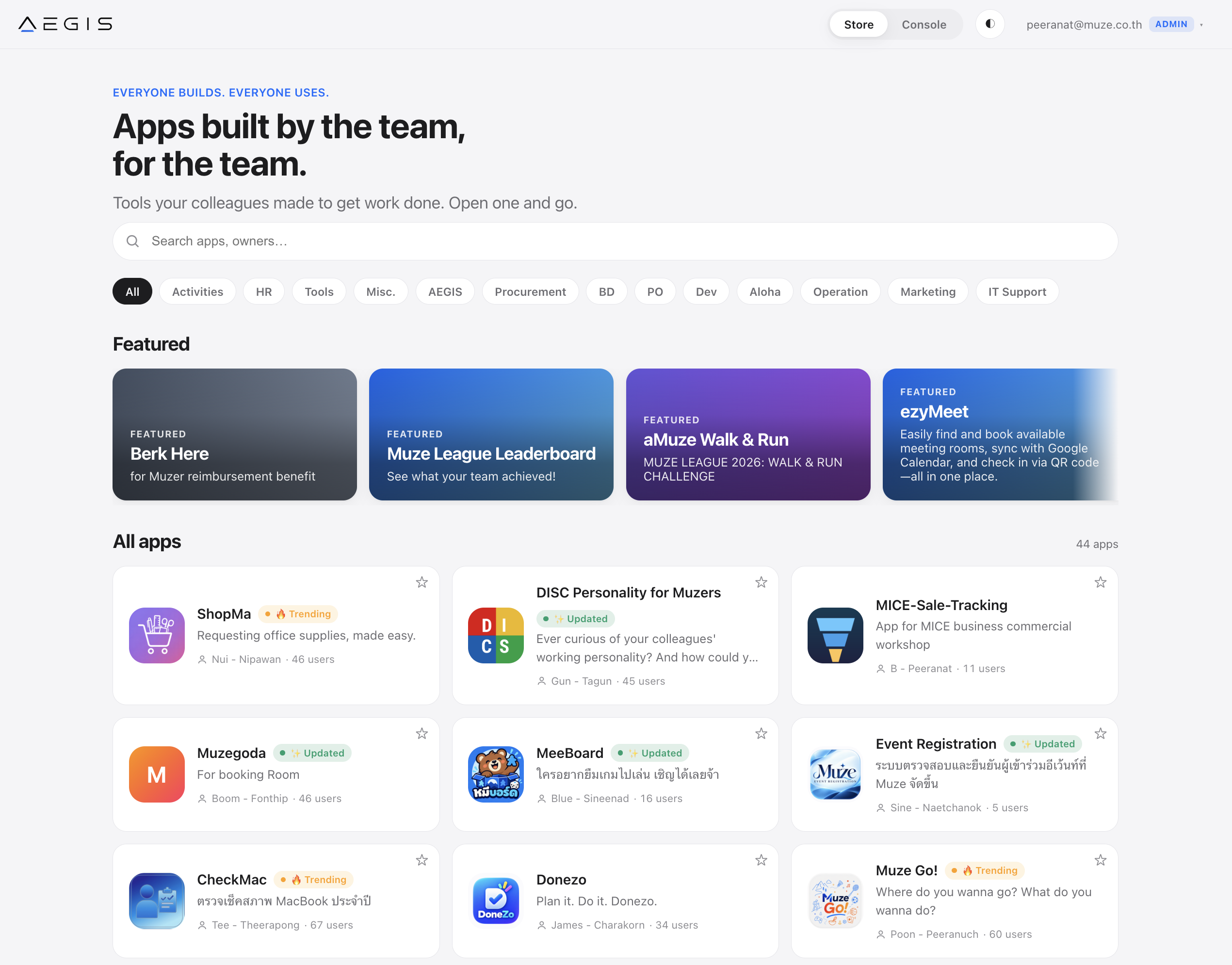
เบิกอุปกรณ์ภายในทีมRequest supplies for the team
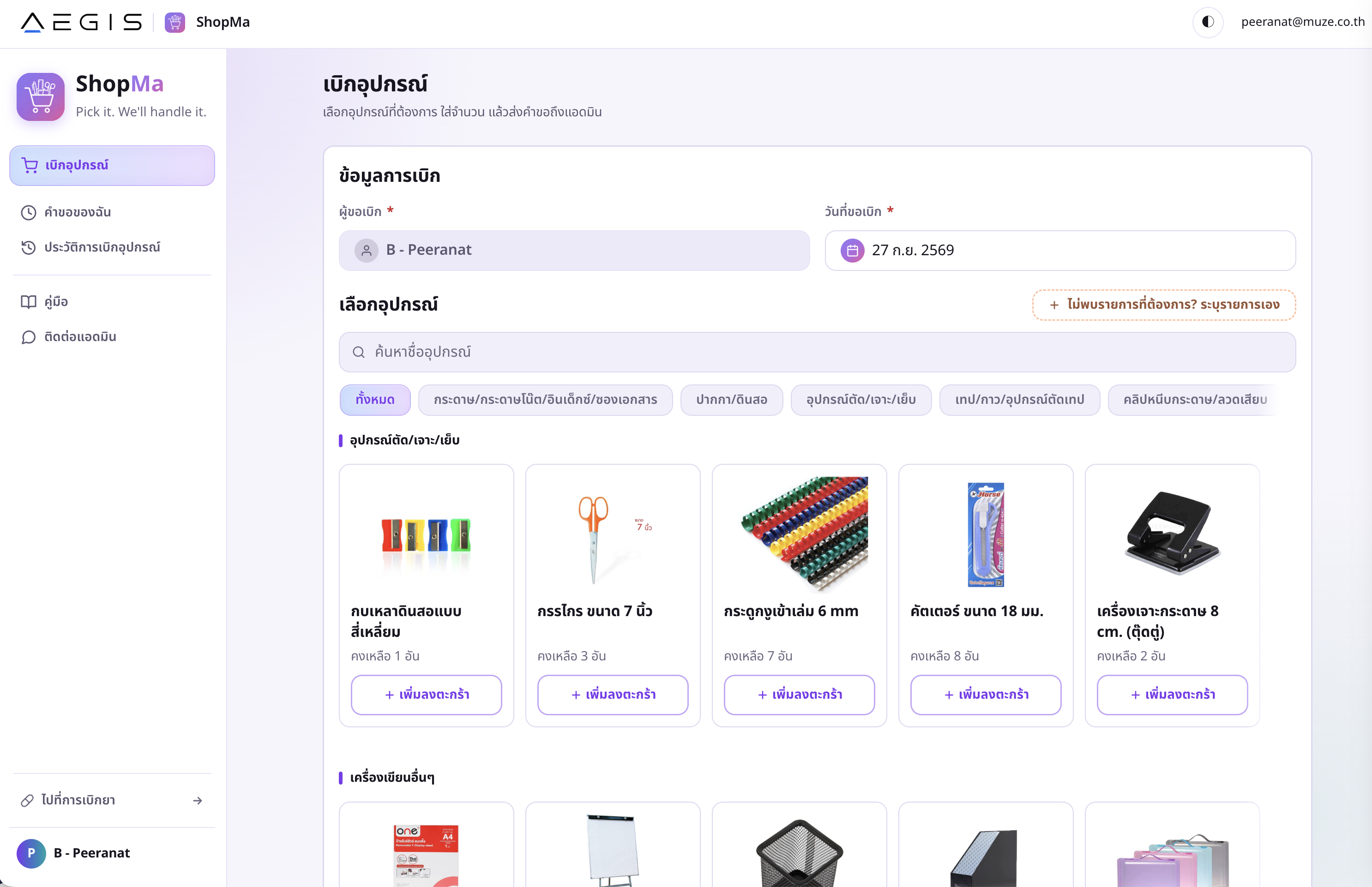
รู้จักตัวเองและเข้าใจเพื่อนร่วมทีมUnderstand yourself and your teammates
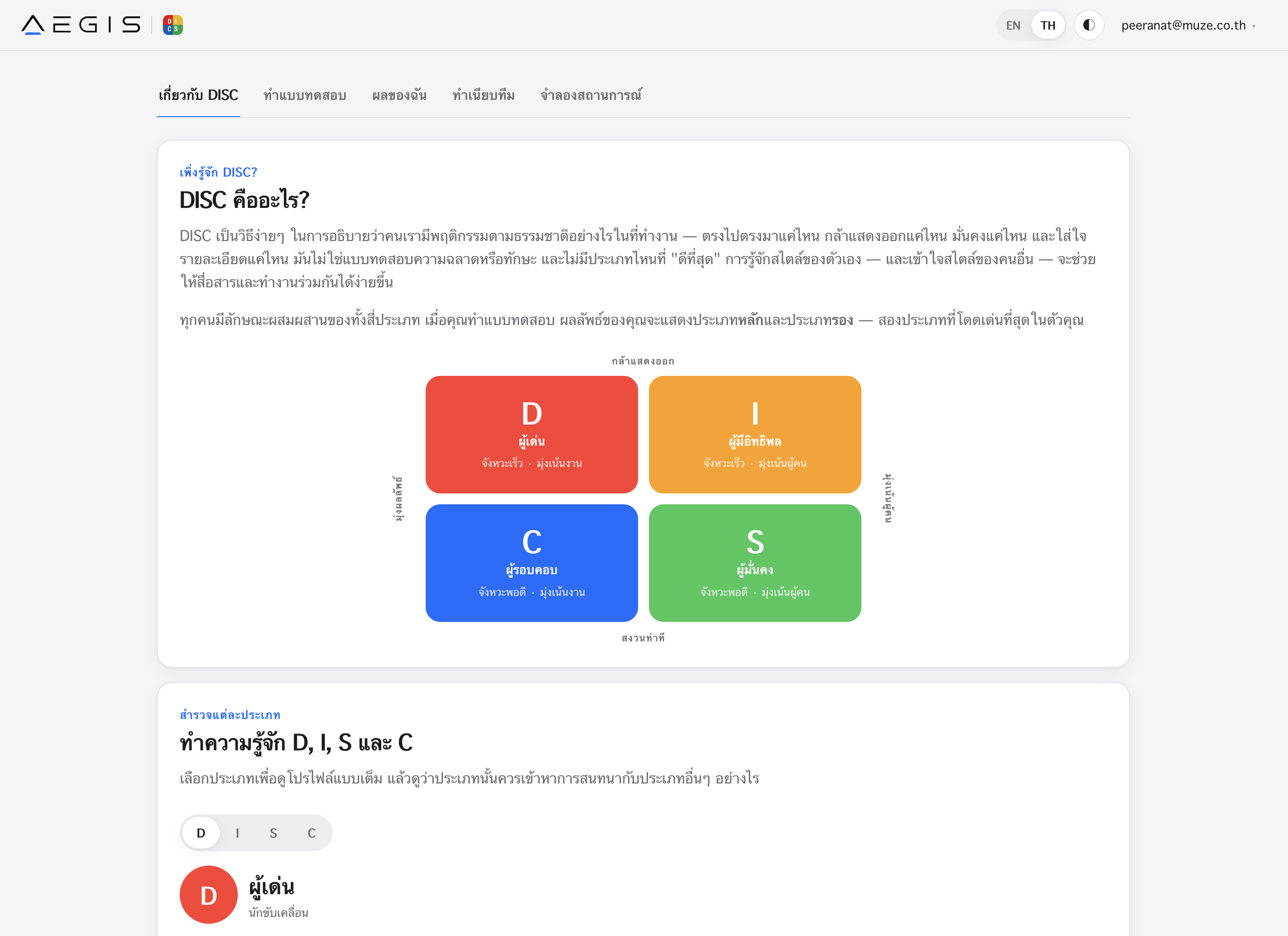
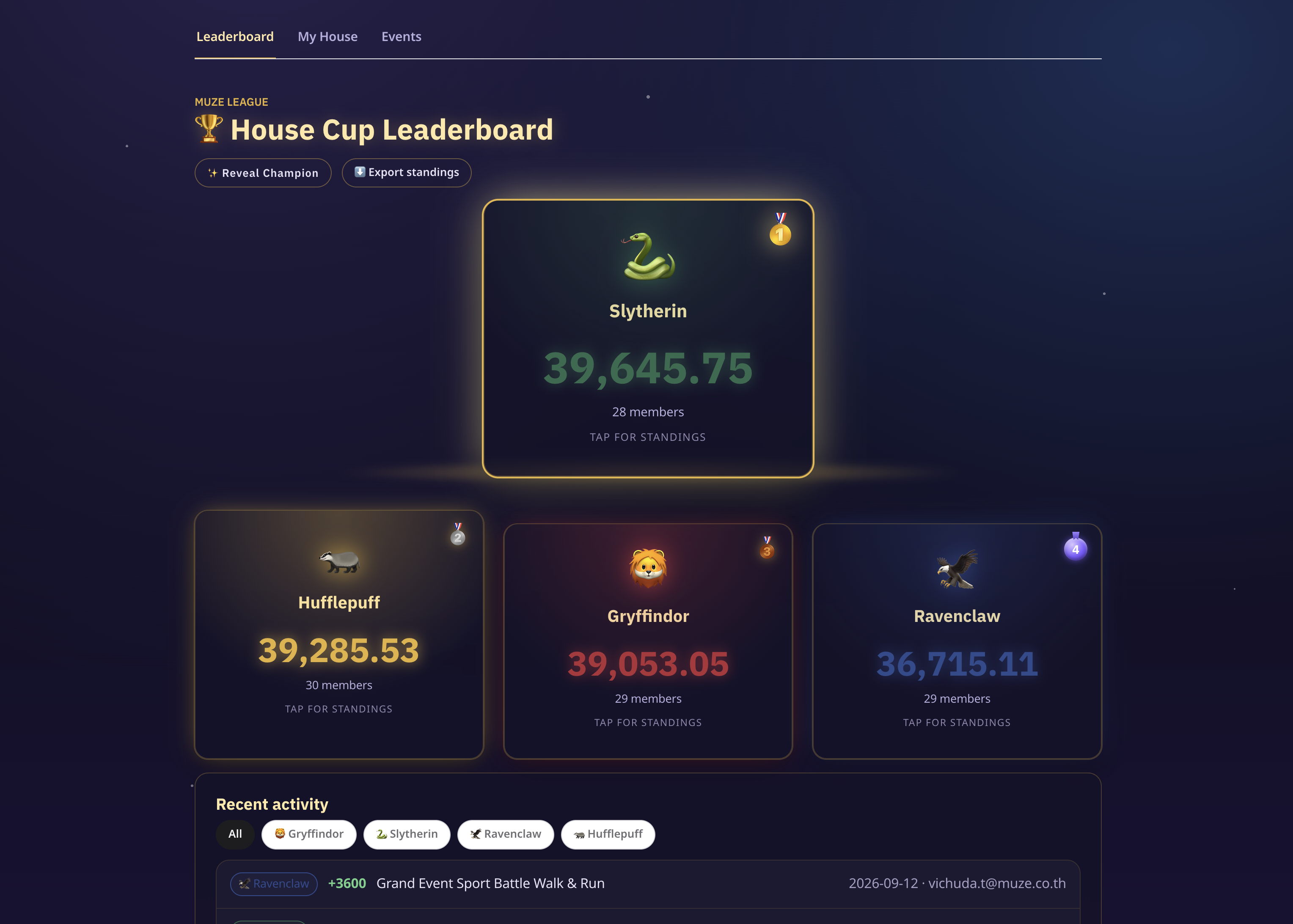
รวมคะแนนและกิจกรรมของทีมBring team scores and activities together
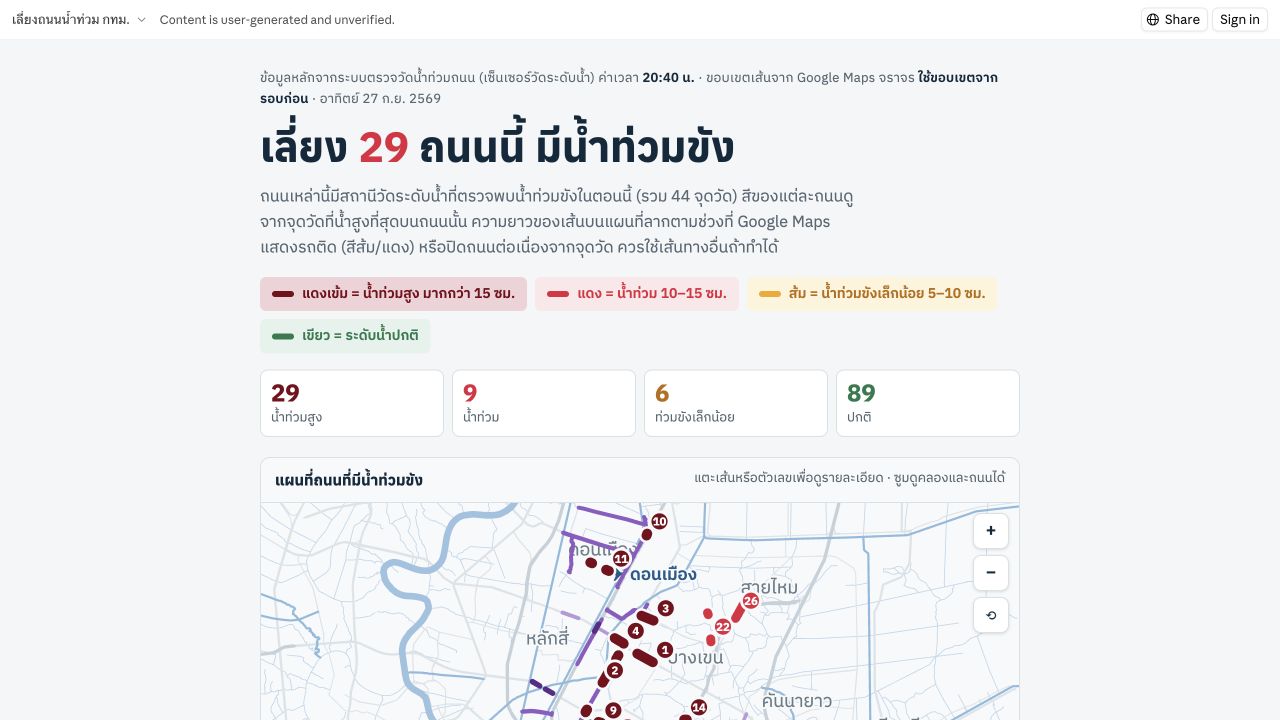
มีแผนที่และข้อมูลถนน
แชร์ลิงก์ให้ประชาชนเปิดดูได้A map and road information,
shared through a public link.
ภาพบันทึก 27 ก.ย. 2569
ข้อมูลบนเว็บอาจเปลี่ยนแปลงCaptured 27 Sep 2026.
Website information may change.
เริ่มจากคนที่รู้ปัญหา ไม่จำเป็นต้องเริ่มจากคนเขียนโค้ดStart with the person who knows the problem.
AI เขียนแอปได้… แต่ใครตรวจ ก่อนเปิดใช้จริง?AI can write the app. Who checks it before launch?
หากตั้งสิทธิ์ผิด ข้อมูลอาจถูกเข้าถึงโดยคนที่ไม่ควรเห็นIncorrect permissions can expose data to people who should not see it.ช่วยทีม IT · รองรับบริษัทที่ไม่มี IT ประจำSupports your IT team — or a company without in-house IT.
กำหนดสิทธิ์และตรวจสอบความพร้อมก่อนเปิดใช้จริงConfigure access and verify readiness before going live.สองมุมที่นำกลับไปใช้กับงานของคุณTWO WAYS TO PUT AI TO WORK
สร้างประสบการณ์ที่ดีขึ้นCreate better experiences.
เรื่องเล่า · พื้นที่ · ประสบการณ์Stories · Spaces · Experiencesทำงานได้ฉลาดขึ้นFind smarter ways to work.
ตรวจสอบ · ปรับแผน · สร้างเครื่องมือReview · Replan · Build toolsใช้ AI สร้างคำตอบที่เหมาะกับงานของเราUse AI to create answers that fit your work.
START WITH ONE REAL TASK
ใครทำงานนี้ · ติดตรงไหน · อยากได้ผลลัพธ์อะไรWho does it? What gets stuck? What should improve?
เอกสาร · เงื่อนไข · ตัวอย่างงานที่แชร์ได้Documents, constraints and examples you can share.
ให้คนทำงานจริงช่วยตรวจ ก่อนขยายให้ทีมใช้Review with the people doing the work before scaling.
ยังไม่ต้องเริ่มจากแอปใหญ่ เริ่มจากปัญหาที่คุณรู้จักดีStart with a problem you know, not a large application.
ยังไม่มีวิธีแก้? เริ่มจากให้ AI ช่วยถามและคิดไปด้วยกันNo solution yet? Ask AI to help explore the problem.
หนึ่งงานที่ดีขึ้น อาจเป็นจุดเริ่มต้นของวิธีทำงานใหม่ทั้งทีมOne improved task can start a better way of working together.
FROM ONE-SIZE-FITS-ALL TO MICE-MADE
One-Size-Fits-All
งานของคุณมีโจทย์เฉพาะ
วันนี้ คุณเริ่มสร้างคำตอบ
ที่เหมาะกับงานตัวเองได้แล้วYour work has its own challenges.
Now you can start creating
answers that fit.
ย้ายเคาน์เตอร์ไปชิดผนังซ้าย เพื่อให้ทางเข้ากว้าง 1.2 เมตรตามข้อกำหนดของงานนี้ แล้วส่งแบบฉบับแก้ไขMove the counter to the left wall, keeping the entrance 1.2 m wide under this event’s requirements. Then submit a revised drawing.